Productivity
InterviewAce is an innovative AI co-pilot designed to empower job seekers during live interviews. It provides real-time, context-aware answer suggestions, grounded in your actual resume and the specific job description, ensuring you always have the right words when you need them without relying on generic scripts. This powerful tool is ideal for anyone looking to boost their confidence and performance in high-stakes interviews. Key Features Real-time AI Suggestions: Get instant, personalized talking points during live interviews, derived from your uploaded resume and the job description. Completely Invisible: Operates discreetly on your second screen or window, undetectable by the interviewer – no bots, no browser extensions. Broad Platform Compatibility: Seamlessly integrates with Zoom, Google Meet, Microsoft Teams, and other video-call platforms. Mock Interview Mode: Practice with an AI interviewer that asks role-specific questions, provides instant feedback, and generates a full performance report. Multilingual Support: Supports 15+ languages for transcription, AI suggestions, and session memory, catering to global job markets. Cost-Effective Solution: Offers advanced real-time intelligence at a fraction of the cost of competitors, making it accessible for job seekers. Use Cases InterviewAce is a game-changer for candidates who experience interview anxiety or struggle to recall specific examples under pressure. Imagine being asked a behavioral question like "Tell me about a time you had to make a high-stakes decision with incomplete data." Instead of blanking, InterviewAce instantly surfaces key points from your resume, such as "Led pricing redesign at Bybit with 2 weeks of data" and suggests the STAR framework, allowing you to deliver a structured, confident answer in your own voice. It's also invaluable for preparing for diverse roles or international opportunities. With its Mock Interview Mode, you can rehearse answers to role-specific questions, receive immediate feedback on your structure and content, and refine your delivery before the actual interview. For those interviewing in non-English markets, the 15+ language support ensures that transcription, suggestions, and session memory all function in your preferred language, providing a significant competitive edge. Pricing Information InterviewAce operates on a freemium model. Users can start with a free plan offering 30 trial minutes without requiring a credit card. For extended use, Pro plans are available: Weekly Pro at $9 per week (100 minutes/week) and Monthly Pro at $19 per month (400 minutes/month), offering substantial savings compared to competitors. User Experience and Support The platform is designed for ease of use, running directly in your web browser without any downloads or browser extensions. Simply sign in, open a session on a second screen or window alongside your video call, and you're ready. The interface provides a live transcript and contextual AI suggestions, allowing you to glance, absorb, and respond naturally. Support is available via email at hello@interviewace.online. Technical Details InterviewAce functions as a web-based application, leveraging real-time transcription and AI algorithms to process interviewer questions and generate relevant talking points from your uploaded resume and job description. It operates by listening through your device's audio, ensuring compatibility with any video-call platform without requiring special integrations. An Android app is also available, with a Windows desktop app coming soon. Pros and Cons Pros: Completely invisible to interviewers. Suggestions are highly personalized to your experience and the job. Effective for reducing interview anxiety and improving recall. Includes a robust mock interview practice mode. Supports a wide range of languages. Significantly more affordable than competing solutions. No installation required, runs in browser. Cons: Requires a second screen or window for optimal use. Relies on user's ability to integrate suggestions naturally into their speech. Not a substitute for actual preparation, but an aid. Conclusion InterviewAce stands out as an indispensable AI co-pilot for modern job seekers, transforming interview anxiety into confident performance. By providing real-time, personalized guidance invisibly, it helps candidates articulate their experience effectively and secure offers. Explore InterviewAce today to elevate your next interview.

CoachPro Tools is a comprehensive, all-in-one SaaS platform meticulously designed for professional coaches. It consolidates essential coaching functionalities into a single, intuitive interface, enabling coaches to streamline their practice, enhance client engagement, and deliver impactful sessions under their own brand. It targets professional coaches across various specializations, from life and executive coaching to team and wellness coaching.Key Features:+271 interactive coaching tools that update live during sessions.Integrated CRM, calendar, and 1:1 video call capabilities.Full custom branding (logo, colors, name) on tools and client PDFs.AI-powered session recaps and WhatsApp integration with AI.Tools for organizations, including 360-degree reviews and climate assessments.Step-by-step program builder and public booking functionality.Use Cases:CoachPro Tools transforms a coach's daily workflow by centralizing client management, session preparation, and delivery. Coaches can manage client profiles, track progress, and access a vast library of interactive tools directly within a live session, eliminating the need to juggle multiple applications. This ensures a seamless and professional experience, with all session data automatically saved. For corporate coaching, it offers specialized tools for organizational assessment and 360-degree feedback. Group workshops are facilitated via open links and QR codes, while structured, multi-week client journeys are supported by customizable step-by-step programs, all under the coach's brand.Pricing Information:CoachPro Tools offers flexible pricing: Monthly at $30/month, Annual at $157/year (saving 56%), and Lifetime access for a one-time payment of $297. All plans include a 3-day free trial and a 30-day money-back guarantee. Annual and Lifetime plans also feature bonuses like a Marketing & Sales Platform and a Private CoachPro GPT.User Experience and Support:The platform boasts a user-friendly interface designed for real-time sessions, minimizing setup time and requiring no technical skills. Coaches operate from a single window, maintaining focus. Clients do not need to sign up or learn a new system; they interact with the coach's shared screen and receive branded PDFs. Responsive support ensures queries are resolved quickly.Technical Details:CoachPro Tools is a 100% web-based application, accessible via modern browsers (Chrome, Safari, Firefox, Edge) on Windows, Mac, Linux, iPad, and mobile phones. It requires no installation, offering broad compatibility and ease of access. Data is SSL-encrypted, and payments are securely processed via Stripe.Pros:Comprehensive all-in-one solution for coaching practice.Highly interactive tools enhance client engagement.Extensive custom branding capabilities.AI features significantly reduce administrative tasks.Visible client progress and tangible session outcomes.Cons:Potential learning curve for mastering all advanced features.Tool customization is primarily limited to renaming.Requires a stable internet connection for optimal performance.Conclusion:CoachPro Tools provides an integrated solution for coaches to professionalize their practice, minimize admin, and maximize client impact. By centralizing CRM, interactive tools, and communication under a custom brand, it transforms coaching delivery into a visible, organized, and highly engaging experience. Explore CoachPro Tools today to revolutionize your coaching workflow and client results.
A curated collection of the 1000 best tools. We don’t list everything—just the tools that truly matter. 🔍 Every product is handpicked, vetted, and maintained by humans. 🧠 No fluff, no noise—just 1000 tools worth your time. 💡 Whether you're building, designing, automating, or scaling—we’ve already done the filtering for you. 🎯 Submit your tool. Get discovered. 📦 Only 1000 spots. No more, no less.

1000 AI is a premier online directory meticulously curating and showcasing the 1000 best AI-native products across a vast array of categories. It serves as an indispensable resource for anyone looking to discover, evaluate, and leverage cutting-edge artificial intelligence solutions. This platform is designed for a broad audience, including developers, content creators, business professionals, researchers, and general users seeking to enhance productivity, creativity, and efficiency with AI tools. Key Features Extensive Curated Collection: Access a hand-picked selection of 1000+ high-quality AI-native products. Categorized Browsing: Easily navigate through diverse categories like 3D Modeling, Chatbots, Cybersecurity, LLM Applications, and Productivity Tools. Detailed Product Insights: Each listing provides comprehensive information, including features, use cases, pricing models, and technical details. Human-Verified Content: Products are "Curated and updated by real people," ensuring relevance and quality. Product Submission: A dedicated portal for AI product owners to submit their innovations for inclusion. Use Cases For individuals and businesses, 1000 AI acts as a powerful discovery engine. Users can efficiently find the perfect AI tool to solve specific problems, such as identifying a robust CRM solution, an advanced code generation assistant, or a specialized legal AI. The detailed descriptions facilitate informed decision-making, allowing for quick comparisons of features, pricing, and target applications across various AI offerings. AI product owners benefit significantly from being listed on 1000 AI by gaining targeted visibility within a community actively seeking AI solutions. It provides a reputable platform to showcase their innovations, reach potential customers, and contribute to the broader AI ecosystem, ultimately accelerating adoption and growth for their SaaS products. Pricing Information Access to browse the extensive directory and discover AI products on 1000 AI is completely free. While individual products listed within the directory may offer their own tiered subscription models, freemium options, or free trials, the directory itself provides its core service of product discovery at no cost to the user. User Experience and Support The platform is designed for intuitive navigation, featuring a clean interface and well-organized categories that make finding specific AI tools straightforward. Each product page is structured to provide essential information at a glance, enhancing the user's ability to quickly assess suitability. While direct support channels for the directory are not explicitly detailed, the emphasis on human curation suggests an active team maintaining the quality and relevance of the listings. Technical Details As a web-based directory, 1000 AI is accessible through any modern browser, providing a consistent experience across various devices. While specific programming languages or frameworks for the directory's backend are not disclosed, it leverages standard web technologies to deliver its comprehensive content and user interface. Pros and Cons Pros: Comprehensive and human-curated collection of AI products; Easy discovery through categorized browsing; Detailed and informative product descriptions; Valuable resource for both users and AI product owners; Constantly updated with new innovations. Cons: Specific advanced search filters (e.g., by pricing model, integration) are not explicitly mentioned; No direct user review/rating system for products within the directory (based on provided text); Underlying technical stack of the directory is not disclosed. Conclusion 1000 AI stands as a vital hub for exploring the dynamic world of AI-native products, offering unparalleled access to a diverse range of solutions. Its commitment to human curation ensures a high-quality and relevant experience for anyone seeking to harness the power of artificial intelligence. Explore 1000 AI today and unlock the potential of the best AI tools available.

ThreadOut unrolls Twitter/X threads. Paste any tweet link from a public thread and the whole thread appears as one readable page, in order, with media and quoted tweets kept in place. Popular threads get an AI-written summary at the top plus topic tags with their own hub pages. Author pages collect every unrolled thread from the same writer. Works with both x.com and twitter.com links. Free to use, no sign-up, and nothing to install.

Introduction to Spark7Spark7 is an innovative mobile application designed to significantly enhance personal and team productivity. It serves as a comprehensive platform for managing tasks, projects, and daily workflows, helping users stay organized and achieve their goals more efficiently.The primary purpose of Spark7 is to provide a seamless and intuitive experience for individuals and small to medium-sized teams looking to streamline their operations and improve collaboration.Target Audience and Use CaseSpark7 is ideal for busy professionals, students, freelancers, and small business teams who need a reliable tool to manage their daily activities, track project progress, and foster effective communication. It caters to anyone seeking to reduce digital clutter and gain better control over their time and tasks.Key FeaturesIntuitive Task Management: Create, prioritize, and organize tasks with customizable labels and due dates.Collaborative Project Boards: Share projects with team members, assign tasks, and track progress in real-time.Cross-Device Synchronization: Access your tasks and projects seamlessly across iOS and Android devices.Smart Reminders & Notifications: Stay on top of deadlines with intelligent alerts and customizable notification settings.Performance Analytics: Gain insights into your productivity patterns and project completion rates.Integrated Communication: Facilitate discussions and share updates directly within tasks and projects.Use CasesFor individual users, Spark7 acts as a powerful personal assistant. Imagine a freelancer juggling multiple client projects; Spark7 allows them to create separate project boards for each client, break down large projects into manageable tasks, set deadlines, and receive timely reminders. This ensures no detail is missed and client expectations are consistently met, leading to improved client satisfaction and personal efficiency.In a team setting, Spark7 transforms how groups collaborate. A marketing team, for instance, can use Spark7 to plan campaigns, assign content creation tasks, track design approvals, and monitor campaign performance. The shared project boards and integrated communication features eliminate the need for endless email chains, centralizing all project-related information and discussions in one accessible place, thereby improving transparency and accountability.Pricing InformationSpark7 operates on a freemium model, offering a robust free tier with essential features for individual use. For advanced functionalities, increased storage, and team collaboration capabilities, Spark7 provides several premium subscription plans. A 14-day free trial is available for all premium tiers, allowing users to experience the full suite of features before committing to a subscription.User Experience and SupportSpark7 boasts a clean, modern, and highly intuitive user interface designed for ease of use on both iOS and Android platforms. Its drag-and-drop functionality and logical navigation ensure a minimal learning curve. Comprehensive documentation, including step-by-step tutorials and a detailed FAQ section, is readily available within the app and on the Spark7 website. Dedicated email support is provided for all users, with priority support for premium subscribers, ensuring prompt assistance for any queries or issues.Technical DetailsSpark7 is built with a mobile-first approach, leveraging native development frameworks for optimal performance on iOS and Android. It utilizes a secure, scalable cloud infrastructure to ensure reliable data synchronization and accessibility across all devices. The backend is designed for high availability and data integrity, providing a robust foundation for all user activities and collaborations.Pros and ConsPros:Highly intuitive and user-friendly interface.Excellent cross-device synchronization for seamless workflow.Robust collaboration features for team productivity.Flexible task management with customization options.Valuable performance analytics for tracking progress.Cons:Advanced features may require a subscription.Initial setup for complex projects might have a slight learning curve.Limited integrations with third-party apps in the free version.ConclusionSpark7 offers a powerful yet accessible solution for anyone looking to elevate their productivity and streamline their organizational efforts. With its user-centric design and comprehensive feature set, it empowers individuals and teams to manage tasks, collaborate effectively, and achieve their objectives with greater ease. Explore Spark7 today and transform the way you work and live.

Most automation platforms require APIs, custom integrations, or complex setup. MySitePilot enables businesses to automate workflows directly through existing websites and web applications. Instead of building new systems, teams can automate repetitive operational tasks across the tools they already use. The result is faster execution, reduced manual work, and scalable business processes without changing existing workflows.

Online Tasbih Counter (OTC) is a free, browser-based digital tool designed to accurately track repetitions of dhikr, the Islamic practice of remembering and glorifying Allah. It serves as a modern complement to traditional prayer beads, offering a convenient tap-to-count interface for spiritual remembrance and various other counting needs.This versatile SaaS targets individuals seeking a reliable digital counter for their daily dhikr, including specific Islamic phrases like SubhanAllah, Alhamdulillah, Allahu Akbar, Astaghfirullah, or the 99 Names of Allah. It also caters to broader use cases such as tracking reps in sports and fitness, managing event counts, or inventory.Key Features:Customizable Targets & Step Sizes: Set specific dhikr goals (33, 99, 100, or any custom number) and define how much each tap adds to the count.Automatic Progress Saving: Your count is saved locally on your device, allowing you to close the tab and resume exactly where you left off, without any sign-up or login.Sound Alerts: Gentle audio cues confirm each tap and signal when your target is reached, enabling eyes-free counting and enhanced focus.Distraction-Free Full View Mode: A clean, fullscreen interface minimizes visual distractions, ideal for focused prayer or intense counting sessions.Undo & Reset Functions: Easily correct misclicks by subtracting the last tap or clear the counter to start a fresh session with a single click.Multiple Color Themes: Personalize your counting experience with five distinct color styles, including darker options suitable for low-light environments.Use Cases:Islamic Dhikr & Tasbeeh: OTC is an indispensable tool for Muslims to accurately count their daily remembrances. Whether it's the post-prayer recitations of SubhanAllah, Alhamdulillah, and Allahu Akbar 33 times each, or the profound practice of counting the 99 Names of Allah, OTC ensures precision, allowing users to maintain their focus on the spiritual act itself. It's also perfect for tracking Astaghfirullah, La ilaha illallah, or Durood/Salawat upon the Prophet ﷺ.General Tally Counting: Beyond its primary spiritual application, OTC functions as a highly versatile digital tally counter. It can be effectively utilized in sports for tracking reps and scores, in fitness routines, for managing inventory, or for counting attendees at events. Its simplicity and accuracy make it suitable for any scenario requiring precise, interruption-proof counting.Pricing Information: Online Tasbih Counter is offered completely free of charge, requiring no user accounts, sign-ups, or software downloads. The service is sustained through light, non-intrusive advertisements, ensuring that its valuable counting features remain accessible to everyone indefinitely.User Experience and Support: OTC boasts a remarkably simple and intuitive user interface, making it accessible to anyone across phones, tablets, and computers. The tap-to-count mechanism is straightforward, and the automatic saving of progress ensures a seamless user experience. While extensive documentation isn't explicitly detailed, the "How To Use" section provides clear instructions, and the tool's inherent simplicity minimizes the need for complex support.Technical Details: As a browser-based application, Online Tasbih Counter leverages client-side web technologies (likely HTML, CSS, and JavaScript) to deliver its functionality. It operates offline once loaded and stores user counts locally on the device, emphasizing privacy by avoiding server-side data collection or user accounts.Pros and Cons:Pros:Completely free with no sign-up or download required.Automatic progress saving and cross-device accessibility (via local storage on each device).Highly accurate and distraction-free counting with sound alerts.Versatile for both spiritual dhikr and general tallying needs.Functions offline once the page is loaded.Cons:Currently supports only one active counting session at a time.Count progress is stored locally per device, not synced across multiple devices via a cloud account.Relies on light, non-intrusive ads for funding.Lacks advanced analytics or reporting features for counting history.Conclusion: Online Tasbih Counter stands out as an exceptionally accessible, accurate, and user-friendly digital counting tool. Its commitment to privacy, ease of use, and versatile applications make it an excellent choice for anyone needing a reliable counter for spiritual practices or everyday tasks. Discover the simplicity and precision of OTC by exploring it today.

RemindHer: The Ultimate Family Calendar & Organizer for Moms RemindHer is an innovative SaaS solution designed to empower moms by transforming the overwhelming mental load of family management into manageable, shared responsibilities. This intuitive family calendar and organizer app helps users streamline tasks, coordinate schedules, and foster a more organized and peaceful home life. It primarily targets busy mothers and families seeking to improve communication, distribute household duties, and keep track of kids' activities and appointments effortlessly. Key Features Voice-to-Task Magic: Effortlessly convert spoken notes into actionable tasks, eliminating the need for manual typing. Shared Family Calendar: A centralized hub for all family events, appointments, and schedules, accessible to everyone. Organize Kids & Tasks Easily: Seamlessly integrate and sync children's schedules and assign tasks with clarity. Shared Responsibility: Facilitates the distribution of household and family duties among all members, reducing the burden on one individual. Smart Calendar Integration: Syncs efficiently with personal events and external calendars like Google Calendar while maintaining privacy. Use Cases RemindHer is invaluable for families struggling with the daily chaos of managing multiple schedules, appointments, and chores. For instance, a mom can quickly record a new task like "buy school supplies" using her voice while driving, and it automatically appears on the family's shared to-do list. This eliminates the mental effort of remembering to write it down later. Another common scenario involves coordinating children's activities. With RemindHer, parents can easily see who is responsible for school pickups, sports practices, or doctor's appointments. Tasks can be assigned to specific family members, ensuring everyone knows their role and contributing to a more equitable distribution of the mental load. This leads to fewer missed appointments and a more harmonious household. Pricing Information While specific pricing tiers are not detailed, RemindHer encourages users to "Get Started," suggesting a freemium model or a free trial period to experience its benefits before committing to a subscription. This approach allows families to discover the value of the app firsthand. User Experience and Support RemindHer is designed for ease of use, featuring an intuitive interface that makes organizing family life straightforward. The "Voice-to-Task Magic" highlights a commitment to simplifying user input and enhancing convenience. The platform aims to provide a seamless experience, though specific documentation or direct support channels are not explicitly mentioned in the provided content. Technical Details The provided content does not specify the underlying programming languages, frameworks, or technologies used in the development of RemindHer. It is presented as a modern web and mobile application focused on user functionality and experience. Pros Significantly reduces the mental load for mothers. Promotes shared responsibility and better family collaboration. Innovative voice-to-task feature for quick task capture. Seamless integration with existing calendars (e.g., Google Calendar). User-friendly interface designed for busy families. Cons Specific pricing details are not publicly available in the provided content. No explicit mention of customer support channels or extensive documentation. Potential learning curve for families new to shared digital organization tools. Conclusion RemindHer offers a powerful and much-needed solution for modern families seeking to bring order and peace to their busy lives. By centralizing schedules and distributing tasks, it empowers every family member to contribute, ultimately giving moms the peace of mind they deserve. Join the RemindHer community today and take the first step towards a more organized and harmonious home!

Follow 20+ newsletters? Stop skimming all of them. Weekly Brief reads your subscriptions for you and sends one weekly digest that ranks what is actually worth your time — with a one-line reason for each pick. It arrives where you already read: Readwise Reader, Matter, or your Kindle, via a private RSS feed rather than another inbox. Forward your newsletters to your own Weekly Brief address and the first brief lands the following week. Free for up to 10 newsletters; 5 euro a month for unlimited.
TrainTeam is a modern SaaS application designed for football coaches and clubs to streamline team management. It centralizes planning, communication, and organization, helping coaches save time and maintain full control over their teams.Target Audience: Football coaches, small to large football clubs, academies, players, and parents.Key Features:Comprehensive dashboard for a full team overview (events, attendance, call-ups, messages).Effortless event and training planning with Google Calendar synchronization.Real-time player availability tracking and automated attendance recording.Integrated communication for team messages, call-ups, and file sharing.Automated online fee collection with BLIK, Przelewy24, and card payments.Full club control with statistics, history, fees, and season management across multiple teams.Use Cases:TrainTeam is ideal for coaches who want to simplify their daily organizational tasks, from scheduling practices and matches to managing player availability and sending out important communications. It eliminates the need for multiple tools like chat apps and spreadsheets, providing a single, clear system.For clubs and academies, TrainTeam offers a unified platform to manage multiple teams, coaches, and events. It provides an immediate overview of club finances, including collected fees and outstanding payments, and supports seamless transitions of age groups between seasons. Parents benefit from easy access to event information, quick attendance confirmation, and convenient online fee payments directly from their phones.Pricing Information:TrainTeam offers a flexible pricing model based on team size. A "Free" plan is available for single teams with up to 40 people, including all features and online fee collection. Paid plans include "Team" at 29 zł/month for up to 4 teams/200 people and "Club" at 79 zł/month for unlimited teams/up to 1000 people, both offering full features and priority support for the "Club" plan. All plans are monthly, with no long-term commitments.User Experience and Support:The application boasts a simple and intuitive user interface, designed to be easy to use for coaches, parents, and club administrators. It operates as a browser-based application, which can be added to a phone's home screen like a native app, complete with push notifications. Each user role (coach, parent, club) has a simplified, tailored view to avoid feature overload. Priority support is included with the "Club" plan.Technical Details:TrainTeam processes data in compliance with RODO (GDPR) regulations, primarily on servers located within the European Union. It offers a Data Processing Agreement (DPA) for clubs. Online payments are securely handled by Stripe, a global online payment operator, ensuring funds go directly to the club's account.Pros and Cons:Pros:Significantly reduces organizational time for coaches and clubs.All-in-one solution for planning, communication, and financial management.Automated fee collection with popular online payment methods.Real-time player availability and attendance tracking.Role-based views simplify the user experience for different stakeholders.RODO compliant with data hosted in the EU.Free tier available for testing and small teams.Cons:Not a native mobile application (browser-based PWA).No specific cons mentioned in the provided text, but browser-based might be a con for some users expecting a native app experience.Conclusion:TrainTeam offers a powerful, modern solution for managing football teams, academies, and clubs, bringing efficiency and control to daily operations. By centralizing key functions and automating administrative tasks, it allows coaches to focus more on training and less on paperwork. Explore TrainTeam today to transform your team's organization.

Momentum is a visual project management tool designed to keep individuals and teams focused. Key features: projects and their sub tasks link to notes, tasks can be generated from notes, you can set up task templates for processes you repeat regularly across multiple projects or just set up repeating tasks for the same project. Tasks also have comment threads so you can collab with your team... or even use on your own! 7-day free trial then just £5 per month. Free for charities and non-profits, and discounted for students.

Introduction to AKITAApps AKITAApps offers a focused suite of minimalist productivity tools engineered to eliminate digital distractions and enhance user attention. Designed for individuals and professionals, these tools provide a clean, efficient approach to managing focus and capturing ideas without the burden of subscriptions or unnecessary bloat. Target Audience & Use Cases This SaaS is ideal for anyone seeking to reclaim their focus in a digitally noisy world, including students, remote workers, writers, developers, and creatives. It caters to users who value simplicity and efficiency over feature-heavy applications, aiming to improve concentration and streamline thought capture. Key Features Dopamine Destroyer: Instantly block distracting websites with a single toggle, promoting deep work and preventing procrastination. No Guilt Trips or Monthly Fees: A straightforward, one-time purchase model for distraction blocking, free from recurring costs. Fastest Site Blocker for Chrome: Optimized for speed and efficiency, ensuring immediate control over your browsing environment. Hayaku Notes: Capture fleeting ideas and thoughts with a single click, designed for rapid input and seamless workflow integration. Fastest Thought-Capture Tool for Your Browser: Ensures no valuable idea is lost due to slow or complex note-taking interfaces. Subscription-Free & Bloat-Free: A commitment to clean, essential tools that respect your attention and privacy. Pricing Information AKITAApps operates on a transparent pricing model, emphasizing "No subscriptions" and "No monthly fees." This indicates a one-time purchase for each tool, allowing users to own their productivity software outright without recurring financial commitments. User Experience and Support The platform is built with a strong emphasis on user experience, offering "clean tools that get out of your way." The design prioritizes simplicity, speed, and ease of use, enabling users to quickly integrate the tools into their daily routines. While specific documentation or dedicated support channels are not detailed, the minimalist approach suggests an intuitive interface requiring minimal onboarding. Technical Details AKITAApps' offerings, particularly Dopamine Destroyer, are highlighted as browser extensions, with Dopamine Destroyer specifically noted as the "fastest site blocker for Chrome." This indicates a web-based implementation, likely leveraging browser API capabilities to deliver its core functionalities efficiently. Pros and Cons Pros: No recurring subscription fees; highly focused and minimalist design; instant and effective distraction blocking; rapid idea capture; respects user attention and privacy; optimized for speed. Cons: Limited information on browser compatibility beyond Chrome for Dopamine Destroyer; no explicit mention of advanced features or integrations; details on dedicated customer support are not provided. Conclusion AKITAApps delivers essential, distraction-free productivity tools for individuals and professionals who prioritize focus and efficiency. By offering powerful site blocking and rapid thought capture without subscriptions or bloat, AKITAApps empowers users to reclaim their attention and streamline their workflows. Explore Dopamine Destroyer and Hayaku Notes today to experience a new level of focused productivity.

FOCO: Your ADHD Focus CompanionFOCO is an innovative SaaS application designed as an ADHD focus companion, specifically addressing task initiation deficit. It transforms overwhelming tasks into tiny, actionable steps, empowering users to overcome procrastination and begin their work.Targeting individuals with ADHD or anyone struggling with starting tasks and decision fatigue.Key FeaturesAI Task Breakdown: Instantly converts any task into 5 manageable, time-estimated steps, eliminating overwhelm.Your Daily Start: Identifies the single highest-impact task each morning, simplifying decision-making and fostering consistent action.Focus Mode: Guides users through one step at a time with a calm timer and a supportive mascot, gently bringing focus back when distractions arise.Momentum Tracking: Visualizes progress through streaks, focus minutes, and completed tasks, providing tangible proof of achievement.Use CasesFOCO is ideal for overcoming task paralysis on any project, from work presentations to cleaning or studying. It provides the crucial first tiny step, eliminating the 'where to begin' mental block.Specifically, for ADHD minds, FOCO directly tackles 'Task Initiation Deficit,' transforming intention into action. It fosters momentum in a supportive, non-judgmental environment.Pricing InformationFOCO offers a freemium model with a 7-day free trial (no credit card needed). Paid plans include Monthly ($19.99/month) and Yearly ($99/year, billed annually, saving 58%). Both unlock full features like unlimited AI task breakdown and progress tracking, with flexible cancellation.User Experience and SupportDesigned for ADHD brains, FOCO prioritizes task initiation with a gentle, supportive approach. Users praise its non-demanding interface, ensuring a 60-second start. Intuitive design and built-in guidance (like the Focus Mode mascot) serve as primary support.Technical DetailsFOCO leverages AI for its 'AI Task Breakdown' feature, utilizing artificial intelligence and machine learning to segment tasks. Its mobile app presence implies robust backend and frontend development for iOS and Android platforms.Pros and ConsPros:Specifically targets ADHD task initiation deficit.Breaks down complex tasks into tiny, actionable steps.Reduces decision fatigue and overwhelm.Offers a gentle, non-judgmental focus environment.Provides clear momentum tracking to build confidence.Cons:May require initial adjustment to the 'tiny step' methodology.Customization options for task breakdown are not explicitly detailed.Requires consistent interaction with the app for sustained benefit.ConclusionFOCO offers a unique and effective solution for task paralysis, especially for ADHD minds, by providing a clear starting point and guiding users through small, achievable steps. Explore FOCO today to transform your approach to productivity and finally begin.

Macy is an innovative personal AI assistant that seamlessly integrates into your iMessage, eliminating the need for a separate application. Its primary purpose is to act as your proactive chief of staff, connecting to over 500 apps to manage your digital life and alert you to important events first. This SaaS is ideal for individuals seeking to streamline daily tasks, communications, and personal organization through an intelligent, text-based interface. Key Features iMessage-Native AI: Operates entirely within your iMessage, functioning as a contact. Extensive App Integration: Connects to Gmail, Calendar, WhatsApp, Robinhood, and 500+ other applications. Proactive Alerts: Delivers timely notifications for flight changes, price alerts, and important emails directly to your iMessage. Intelligent Automation: Supports "standing orders" and "one-yes" chains for multi-action tasks. Personalized Memory & Storage: Remembers preferences, saves notes, files, and documents for easy retrieval. Multi-App Communication & Action: Drafts replies in other apps (e.g., WhatsApp, email) and executes trades via Robinhood, all with your approval. Use Cases Macy excels in various scenarios, significantly enhancing personal productivity. For busy professionals, Macy monitors your inbox and calendar 24/7, alerting you to critical emails or schedule changes, and even rescheduling meetings with a simple "yes." Travelers benefit from proactive flight change notifications and the ability to adjust related plans instantly. In personal life, Macy remembers important dates, helps manage gift lists, and summarizes lengthy group chats, flagging key decisions. Furthermore, Macy acts as a powerful tool for financial management, watching markets for price alerts and proposing trades through Robinhood, always awaiting your confirmation. It also supports unique features like language learning, quizzing you daily in Spanish, sending audio, and correcting your voice notes, all within iMessage. This consolidates alerts, communications, and actions into one intuitive thread, eliminating the need to juggle multiple apps. Pricing Information Macy is currently offered for free during its early access phase. Upon official launch, the anticipated pricing will be around $19 per month, though this is not yet finalized. Early users will be directly informed by Macy regarding any pricing updates. User Experience and Support The user experience with Macy is designed for ultimate simplicity and convenience, as it operates entirely within iMessage. There's no new app to download; users interact by texting her like a friend. App integrations are managed through a straightforward web dashboard. Support is available via email. Technical Details Macy leverages robust background jobs to continuously monitor connected applications 24/7. It integrates with over 500 apps through various APIs, including Robinhood's agent API. A critical "approval gate" ensures all sensitive actions require explicit user "yes" before execution, maintaining control and security. Every action and alert is meticulously logged, providing a full audit trail. Pros No new app required; lives in iMessage. Highly proactive and intelligent alerts. Extensive integration with 500+ popular apps. Streamlines multi-step tasks with single confirmations. Personalized memory and preference learning. Secure "yes" approval for all sensitive actions. Cons Reliance on iMessage might limit non-Apple users. Potential learning curve for setting up complex "standing orders." Pricing will eventually transition from free to paid. Conclusion Macy redefines personal AI assistance by bringing powerful automation and proactive intelligence directly into your iMessage. By consolidating alerts, communications, and actions from hundreds of apps into one thread, Macy acts as an indispensable digital chief of staff, freeing up your time and mental energy. Experience the future of personal productivity; text Macy today to get started and discover how she can simplify your digital life.

"How Many Days Until" is the ultimate real-time event countdown timer platform, meticulously designed to keep you informed about every event that matters. This high-precision web application provides exact countdowns down to the second for thousands of global events and personal milestones. It targets individuals, fans, and planners who need clarity and precision in tracking upcoming dates. Key Features: Real-time, second-by-second countdowns for global events. Automatic synchronization with your device's local timezone. Extensive coverage of major international sports, video game releases, movie premieres, and national holidays. Encrypted Personal Time Atlas for creating private custom timers (birthdays, anniversaries, deadlines). Built-in email notification alerts for automated event reminders. Intuitive search and category browsing for easy event discovery. Use Cases: Whether you're a sports enthusiast eagerly awaiting the FIFA World Cup Final or Super Bowl, a gamer tracking the highly anticipated GTA 6 release, or simply planning for annual holidays like Christmas and Thanksgiving, "How Many Days Until" ensures you never miss a moment. The platform eliminates the need for manual calculations and timezone conversions, providing a seamless experience for staying ahead of important dates. Beyond public events, the Personal Time Atlas empowers users to manage their private lives with precision. Plan weddings, track exam dates, monitor project deadlines, or set reminders for personal anniversaries, all within a secure and private environment. This tool is invaluable for anyone looking to enhance their personal and professional time management. Pricing Information: "How Many Days Until" is 100% free to use, offering full access to its live event timers and personal countdown creation features without any registration requirements. User Experience and Support: The platform boasts a modern, high-precision web application with smooth visual feedback, making it incredibly easy to use. Users can quickly search or browse events, view full-screen live countdowns, and set email reminders with minimal effort. While specific documentation isn't detailed, the intuitive interface and clear instructions for use ensure a straightforward user experience. Technical Details: Operating as a web application, "How Many Days Until" features a robust countdown engine that automatically synchronizes with your device's local timezone, ensuring accurate timekeeping globally. The platform is designed for high precision, calculating exact calendar days, hours, minutes, and seconds. Pros: Highly accurate, real-time countdowns to the second. Comprehensive database of global public events. Secure and private custom countdowns with email alerts. Completely free to use with no registration needed. Automatic timezone adjustment for global users. Conclusion: "How Many Days Until" is an essential, free-to-use platform for anyone seeking to precisely track and manage upcoming events, both public and personal. Its blend of accuracy, comprehensive event coverage, and user-friendly features makes it the ultimate tool for staying organized and excited for what's next. Explore "How Many Days Until" today and always know how many days until what matters.

IntroductionVidLoader is a powerful and private video downloader designed for various websites and video-sharing platforms, including popular ones like YouTube and TikTok. It enables users to effortlessly save video and audio content directly to their Mac, Windows, or Linux computers.Target AudienceThis versatile tool caters to content creators, educators, researchers, and anyone requiring reliable offline access or archival capabilities for digital media from diverse online sources.Key FeaturesDownload videos as MP4 or audio as MP3.Extensive platform support, including YouTube and TikTok.Automatic monitoring for new content in channels and playlists.Convenient browser extension for one-click video grabbing.Cross-platform compatibility: Mac, Windows, and Linux.Ensures private and secure downloading.Use CasesContent Archiving & Backup: Content creators can use VidLoader to download and archive their own videos or relevant content from other creators, ensuring a local backup and easy access for future reference or repurposing.Educational & Research Purposes: Educators can download lectures, tutorials, or documentaries for offline classroom use, eliminating reliance on internet connectivity. Researchers can collect specific video data from various platforms for analysis and study without interruption.Personal Media Library: Users can build a personal library of their favorite music videos, podcasts, or instructional content, accessible anytime, anywhere, without an internet connection.Pricing InformationSpecific pricing details for VidLoader are not provided in the available information. Users are encouraged to visit the official website for current subscription plans, potential free trials, or freemium options.User Experience and SupportWhile specific details on user interface and support are not provided, the mention of a browser extension suggests an emphasis on ease of use for quick video grabbing. Users seeking documentation, tutorials, or direct support channels should consult the official VidLoader resources.Technical DetailsThe provided content does not specify the underlying programming languages, frameworks, or technical architecture used in VidLoader's development.Pros and ConsPros:Broad platform compatibility (Mac, Windows, Linux).Supports major video platforms (YouTube, TikTok).Flexible output formats (MP4, MP3).Streamlined downloading with browser extension.Automated channel/playlist monitoring.Cons:Pricing model not disclosed.Lack of specific information on user experience and support.Technical implementation details are not available.Potential learning curve for advanced features like auto-monitoring.ConclusionVidLoader stands out as a comprehensive and user-friendly solution for downloading and managing online video and audio content across diverse platforms and operating systems. Its robust feature set, including cross-platform support and automated monitoring, makes it an invaluable asset for anyone needing reliable offline media access. Discover VidLoader today to streamline your digital media workflow.

IntelliPlan is an innovative AI-powered study planner designed to revolutionize how students manage their academic lives. It seamlessly integrates with popular school platforms like Canvas, StudentVue, and Schoology to automatically import assignments, reducing the manual effort typically associated with planning. The primary purpose is to help students stop missing assignments, build effective study plans, and ultimately increase their study time by minimizing organizational overhead. This SAAS is ideal for high school, AP, IB, dual-enrollment, and college students who need a centralized, intelligent system for tracking assignments, grades, and study sessions. It's built for those who are tired of juggling multiple portals and want a clear, actionable plan for their week. Key Features: Automatic Assignment Import: Pulls coursework directly from Canvas, StudentVue, and Schoology into one unified list. AI-Powered Priority Scoring: Ranks assignments by urgency, effort, and due date, labeling them High, Medium, or Low priority. AI-Built Study Schedules: Generates realistic weekly study plans that adapt to deadlines and available time, exportable to Google Calendar. Integrated AI Tutor: Offers step-by-step academic help across 9+ subjects (math, science, history, English, CS, languages, test prep), checking understanding rather than just providing answers. Time Estimation & Grade Modeler: Estimates assignment duration for realistic planning and simulates grade impact for "what if" scenarios. Study & Learn Tools: Upload notes to generate flashcards, key concepts, and quiz questions. Use Cases: IntelliPlan is invaluable for students struggling with organization across various school platforms. Instead of manually entering assignments or constantly checking different portals, students can connect their accounts once and have all their coursework automatically compiled and prioritized. This eliminates the stress of forgotten deadlines and helps students focus on the actual learning. Furthermore, the AI Tutor feature transforms IntelliPlan into a comprehensive academic support system. Students can ask complex questions in subjects like calculus or physics and receive detailed, step-by-step explanations that build understanding, making it an excellent resource for homework help, test preparation (including SAT, ACT, AP exams, and finals), and clarifying difficult concepts at any time. Pricing Information: IntelliPlan operates on a freemium model, allowing students to get started and organize their assignments and study time without requiring a credit card. This makes it accessible for immediate use, with potential premium features or expanded access available later. User Experience and Support: Designed for clarity and ease of use, IntelliPlan aims to be a straightforward tool rather than a "bloated dashboard." It reduces planning time significantly by automating complex tasks. The platform is accessible as a Progressive Web App (PWA), meaning it installs and works seamlessly across iPhone, Android, Chromebook, Mac, and Windows devices without needing traditional app store downloads. While specific documentation isn't detailed, the platform offers a "60-second walkthrough" and "See How It Works" sections to guide new users. Technical Details: The core intelligence of IntelliPlan is powered by Google Gemini AI, enabling its smart scheduling, priority scoring, and advanced tutoring capabilities. It integrates directly with major learning management systems and student portals including Canvas LMS, StudentVue, and Schoology. For scheduling, it offers direct export functionality to Google Calendar and can also send task lists to Notion workspaces, leveraging modern web technologies for a responsive and integrated experience. Pros and Cons: Pros: Automates assignment import and prioritization from multiple school platforms. Generates realistic, AI-built study schedules. Includes a powerful, step-by-step AI Tutor for academic help. Reduces planning time, increasing actual study time. Cross-platform compatibility as a Progressive Web App. Cons: Relies on integration with specific school platforms; manual entry needed for unsupported systems. No explicit mention of offline capabilities (common for PWAs but not guaranteed). While user-friendly, new users might need to explore features to maximize benefits. Conclusion: IntelliPlan stands out as a comprehensive, AI-driven solution for student productivity and academic success. By automating the tedious aspects of assignment management and providing intelligent tutoring, it empowers students to stay organized, reduce stress, and achieve their academic goals more effectively. We encourage students to get started free and experience the future of study planning.
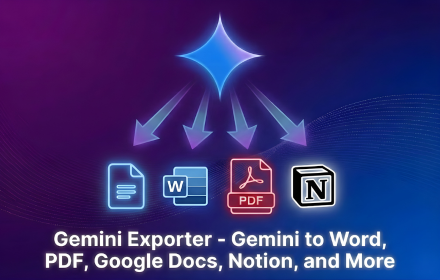
GeminiExporter is a powerful Chrome Extension designed to effortlessly save your Gemini AI conversations. It allows users to export complete Gemini chats into various popular document formats like PDF, Microsoft Word, Google Docs, or Notion with just a few clicks, preserving original formatting including headings, lists, tables, code blocks, and images.This tool is ideal for researchers, project managers, content creators, and anyone needing to document, share, or archive their AI interactions efficiently. Key Features: Export Gemini chats to PDF, Word, Google Docs, or Notion. Preserves original formatting: headings, lists, tables, code blocks, and images. Export full conversations or select specific messages. Customize font, text size, and colors before export. Simple, intuitive export process directly from Gemini or via extension icon. Use Cases: GeminiExporter is invaluable for documenting AI-generated research notes, project records, and client discussions. It streamlines the process of turning AI-assisted brainstorming sessions or content drafts into editable documents for further development or sharing. By eliminating manual copying and pasting, it enhances productivity for creating organized documentation, archiving important discussions, or preparing AI-generated content for reports and presentations. Pricing Information: GeminiExporter is free to install and use as a Chrome Extension. The provided information does not indicate any paid tiers, subscription models, or money-back guarantees, suggesting it operates on a freemium or entirely free model for its core functionality. User Experience and Support: The extension boasts a user-friendly interface, integrating seamlessly into the Gemini platform or accessible via the Chrome toolbar. Users can easily open a conversation, click the export button, choose a format, and make quick adjustments before exporting. The process is described as "simple" and "smoothly and reliably" by users. "Documentation" is available for user guidance. Technical Details: GeminiExporter functions as a Chrome Extension, leveraging web technologies to interact with the Gemini web interface. It operates client-side within the browser environment to capture and format conversation data for export. No specific programming languages or frameworks are explicitly mentioned. Pros and Cons: Pros: Effortless export to multiple popular formats (PDF, Word, Google Docs, Notion); maintains original chat formatting; option for full or selective export; customization options; highly rated for ease of use; free to install. Cons: Limited to Google Chrome browser; no explicit mention of advanced integration features beyond basic export. Conclusion: GeminiExporter offers an indispensable solution for transforming ephemeral Gemini conversations into structured, editable, and shareable documents. Its intuitive design and robust formatting preservation make it a significant productivity booster for documentation, research, and collaboration. Install Gemini Exporter today to effortlessly manage your AI interactions.
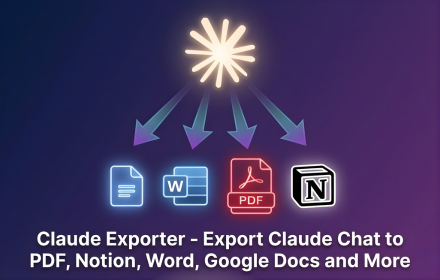
ClaudeExporter is a powerful Chrome extension designed to streamline the process of saving and organizing your Claude AI conversations. It enables users to export full chat threads, selected messages, code sessions, and research directly to popular formats like PDF, Microsoft Word, Google Docs, or Notion with a single click, eliminating the need for manual copying and pasting. This tool is invaluable for professionals in research, engineering, content creation, consulting, education, and finance who rely on Claude for their daily work.Key FeaturesOne-click export of complete Claude conversations.Selective export of specific messages or code blocks.Multiple export formats: PDF, Word, Google Docs, and Notion.Preserves code block formatting, indentation, and structure.Customization options for font, text size, and colors.In-browser processing ensures conversation privacy.Use CasesClaudeExporter significantly enhances workflows for various professionals. Researchers can easily archive long research threads and notes, ensuring all insights from Claude are readily accessible for future reference or publication. Engineers and developers can save entire code sessions, including explanations and revisions, to Word or PDF, making code reviews and documentation much more efficient. Content creators and writers can export writing sessions and client work, maintaining a complete record of their AI-assisted content generation.For knowledge management, the ability to send useful chats directly to Notion allows teams to integrate AI-generated information seamlessly into their projects, notes, and knowledge bases. Educators can save complex explanations or problem-solving sessions for lesson planning, while consultants can document client interactions and AI-driven insights for reporting. The tool's flexibility supports diverse needs, from creating clean, readable PDFs for archiving to editable Word documents for collaborative revisions.Pricing InformationClaudeExporter operates on a freemium model. Users can install the extension from the Chrome Web Store and begin with available free usage. For additional limits or advanced features, paid options may be available, providing flexibility for individual and professional needs.User Experience and SupportThe extension boasts an intuitive and user-friendly interface, making the export process quick and effortless. Users simply open their Claude conversation, click the floating export button or extension icon, choose their desired format, customize content if needed, and export. The in-browser processing ensures a smooth experience without external server dependencies. While specific documentation or tutorials aren't detailed, the five-step process outlined suggests a straightforward learning curve. User testimonials highlight its ease of use and effectiveness.Technical DetailsClaudeExporter is implemented as a Chrome extension, meaning it operates directly within your browser environment. The core functionality involves reading the conversation content displayed on claude.ai and then generating the chosen output format (PDF, Word, Google Docs, Notion) locally. This in-browser processing is a key privacy feature, as it means your chat data is not sent to an external processing server, keeping your Claude conversations private and secure.Pros and ConsPros:One-click, effortless export of Claude conversations.Supports multiple versatile export formats (PDF, Word, Google Docs, Notion).Maintains code block formatting and readability.Allows selective message export for cleaner documents.Enhances privacy by processing exports in-browser.Useful for a wide range of professional applications (research, coding, writing).Cons:Default generic sans serif font for exports may not match Claude's display (user feedback).Relies on Chrome browser, limiting use on other browsers.Paid options for additional limits/features might be required for heavy users.ConclusionClaudeExporter is an indispensable Chrome extension for anyone regularly interacting with Claude AI, offering a seamless and private solution for saving, organizing, and sharing valuable conversations. By transforming raw chat data into polished, editable, or archivable documents, it significantly boosts productivity and knowledge management. Install Claude Exporter today to effortlessly capture and leverage your Claude AI interactions.