
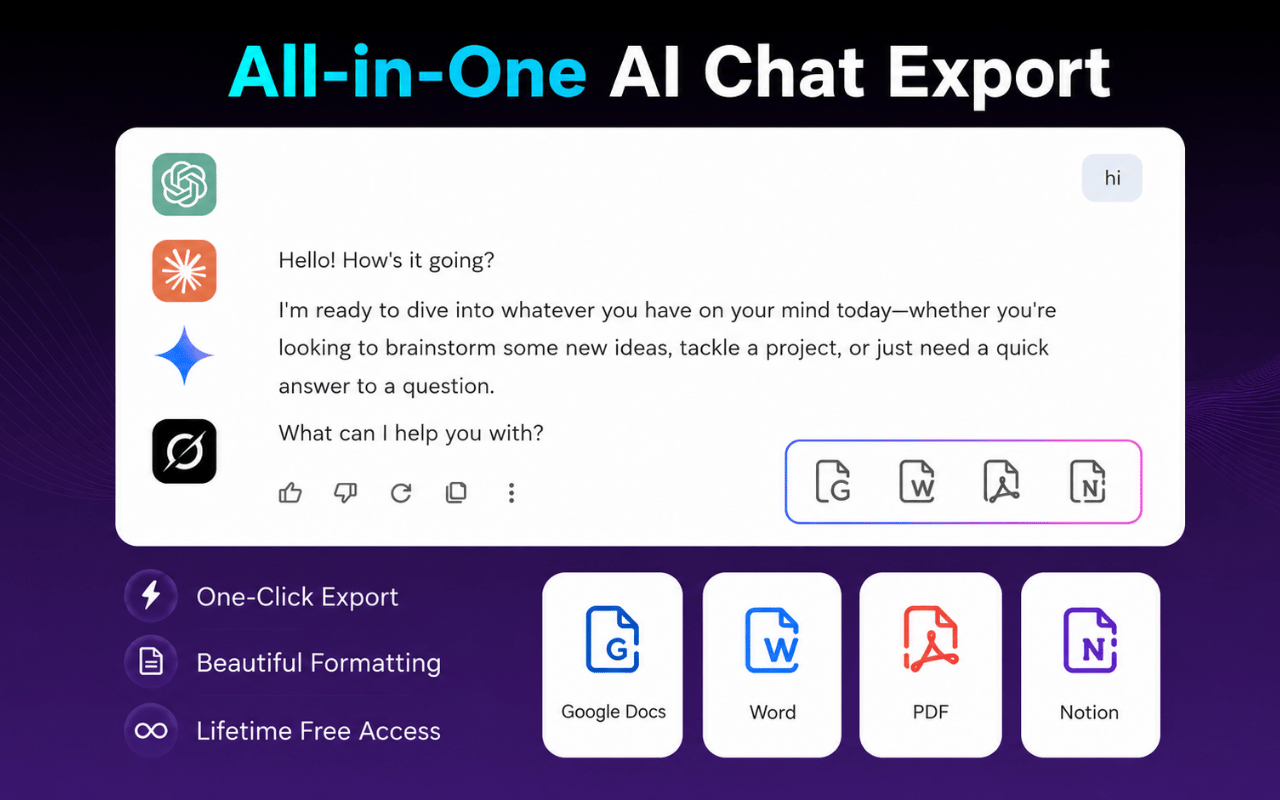
AI Chat Exporter is a powerful Chrome extension designed to effortlessly save and organize your AI conversations from leading platforms like ChatGPT, Gemini, Claude, and Grok. It streamlines the process of transforming valuable AI interactions into editable and shareable documents.
This tool is ideal for a wide range of users including developers, writers, researchers, analysts, students, academics, and professionals who need to document, share, or archive their AI-generated content.
Key Features
- One consistent export workflow for ChatGPT, Gemini, Claude, and Grok.
- Export conversations to PDF, Word (.docx), Google Docs, Notion, or Markdown.
- Preserves complex formatting including headings, lists, tables, code blocks, formulas, and images.
- Option to export full conversations or select specific messages.
- Customizable export settings for font family, font size, and text color.
- No separate account required for standard export features.
Use Cases
AI Chat Exporter seamlessly integrates into various professional and academic workflows. Developers and engineers can save code generation, debugging sessions, and architecture discussions to Markdown, Word, or Notion for easy reference and collaboration. Writers and editors can move outlines, drafts, and edited paragraphs into Word or Google Docs, maintaining formatting for further refinement. Researchers and analysts benefit by archiving research summaries and analyses to PDF, or building a searchable knowledge base in Notion. Students and academics can save study notes, explanations, and summaries as PDFs for offline review. Professionals and teams can transform project plans, strategies, and meeting preparations into shared Google Docs or Notion pages, fostering better collaboration and knowledge management across the organization.Pricing Information
AI Chat Exporter operates on a freemium model. The free plan generously includes 7 full conversation exports and 10 selected-message exports per month, applicable across all supported formats and AI platforms. This allows users to experience the core functionalities before committing to a paid plan, though pricing for premium features is not detailed in the provided content.User Experience and Support
Adding AI Chat Exporter to Chrome is a straightforward process, and its user interface is designed for consistency and ease of use across all supported AI platforms. The extension eliminates the need for manual copy-pasting, providing a one-click solution for saving entire conversations or selected messages. Users can customize the document's appearance before export, ensuring it matches their desired style. While extensive documentation isn't explicitly mentioned, the five-step guide on 'How to Export an AI Chat' indicates a simple and intuitive user journey. The service emphasizes user privacy, stating that conversations are not uploaded during export.Technical Details
AI Chat Exporter functions as a Chrome Extension, leveraging browser capabilities to access and process conversation content directly from ChatGPT, Gemini, Claude, and Grok. It is built to access only the content necessary for generating the requested export, ensuring user data privacy. No specific programming languages, frameworks, or underlying technologies are detailed, but its operation is confined to the browser environment.Pros
- Supports four major AI platforms with a unified workflow.
- Offers a wide range of versatile export formats.
- Maintains rich content formatting (code, tables, images).
- Customizable output for professional documents.
- Flexible export options (full thread or selected messages).
- Includes a useful free tier.
- Prioritizes user privacy by not uploading conversations.
Cons
- Limited number of free exports per month.
- Exclusively available as a Chrome extension.
- Specific details on advanced support or extensive tutorials are not provided.
Conclusion
AI Chat Exporter is an indispensable tool for anyone seeking to efficiently manage and leverage their AI conversations. Its robust features, ease of use, and support for multiple AI platforms make it a powerful asset for transforming ephemeral chats into organized, actionable documents. Install the Chrome extension today to enhance your AI workflow and productivity.Comments
Publisher

Launch Date2026-07-19
Platformweb
Pricingfreemium
Tech Stack
#web
Outbid
View🥇 🥈
🥈 🥉
🥉
Want this spot? Pay what you wantSubmit Your Startup to 100+ Directories | Submitator
Automated startup directory submission service. Get listed on Product Hunt, BetaList, Indie Hackers & 100+ directories for SEO backlinks and DR boost. From $29.
$40
Boost Your Domain Rating — DoFollow Backlinks (DR 30–70) from $30
Raise your Ahrefs Domain Rating with 5 - 50 dofollow backlinks from DR 30–60 sites — from $50, guaranteed to improve your DR or your money back.
$35
DirEasy - The Best Directory Boilerplate with AI | DirEasy
The best directory boilerplate, packed with AI, Listings, Payment, Submission, CMS, Blog, Authentication, Newsletter, SEO and more.
$30