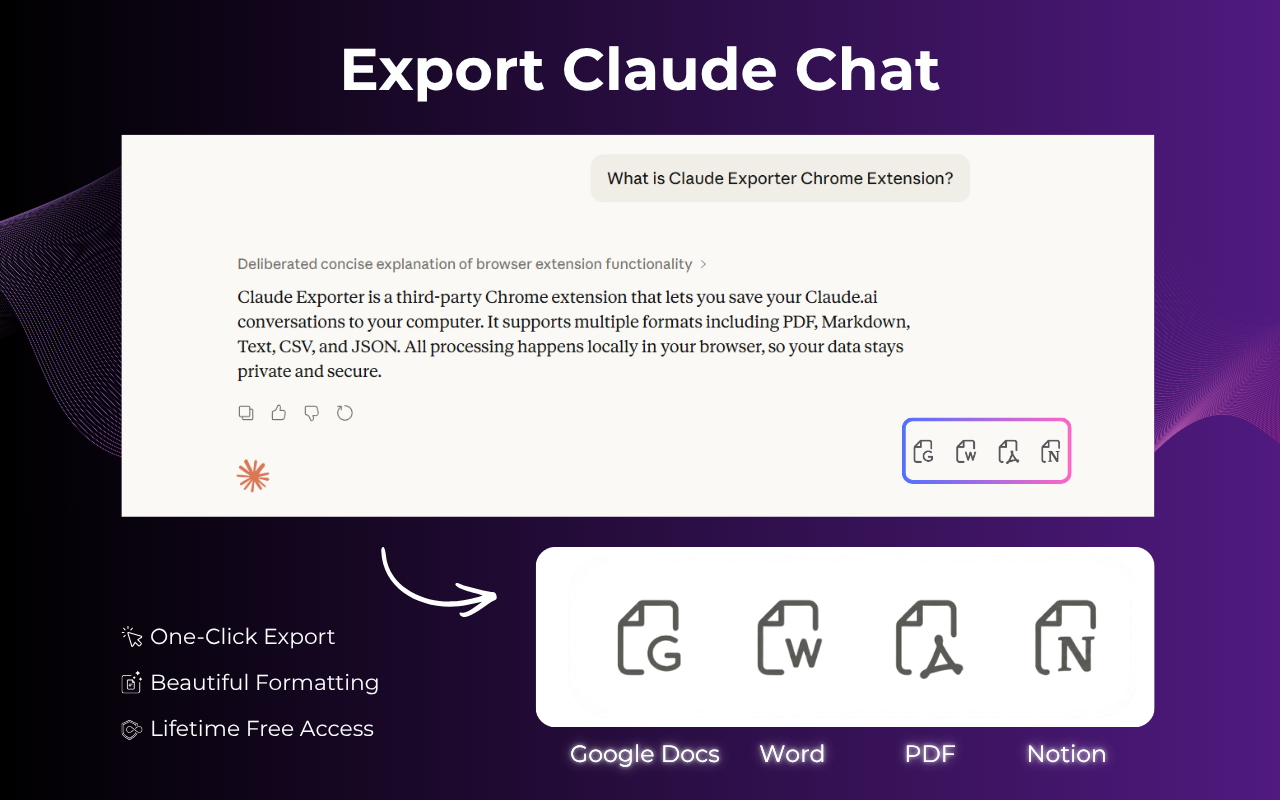
ClaudeExporter is a powerful Chrome extension designed to streamline the process of saving and organizing your Claude AI conversations. It enables users to export full chat threads, selected messages, code sessions, and research directly to popular formats like PDF, Microsoft Word, Google Docs, or Notion with a single click, eliminating the need for manual copying and pasting. This tool is invaluable for professionals in research, engineering, content creation, consulting, education, and finance who rely on Claude for their daily work.
For knowledge management, the ability to send useful chats directly to Notion allows teams to integrate AI-generated information seamlessly into their projects, notes, and knowledge bases. Educators can save complex explanations or problem-solving sessions for lesson planning, while consultants can document client interactions and AI-driven insights for reporting. The tool's flexibility supports diverse needs, from creating clean, readable PDFs for archiving to editable Word documents for collaborative revisions.
Key Features
- One-click export of complete Claude conversations.
- Selective export of specific messages or code blocks.
- Multiple export formats: PDF, Word, Google Docs, and Notion.
- Preserves code block formatting, indentation, and structure.
- Customization options for font, text size, and colors.
- In-browser processing ensures conversation privacy.
Use Cases
ClaudeExporter significantly enhances workflows for various professionals. Researchers can easily archive long research threads and notes, ensuring all insights from Claude are readily accessible for future reference or publication. Engineers and developers can save entire code sessions, including explanations and revisions, to Word or PDF, making code reviews and documentation much more efficient. Content creators and writers can export writing sessions and client work, maintaining a complete record of their AI-assisted content generation.For knowledge management, the ability to send useful chats directly to Notion allows teams to integrate AI-generated information seamlessly into their projects, notes, and knowledge bases. Educators can save complex explanations or problem-solving sessions for lesson planning, while consultants can document client interactions and AI-driven insights for reporting. The tool's flexibility supports diverse needs, from creating clean, readable PDFs for archiving to editable Word documents for collaborative revisions.
Pricing Information
ClaudeExporter operates on a freemium model. Users can install the extension from the Chrome Web Store and begin with available free usage. For additional limits or advanced features, paid options may be available, providing flexibility for individual and professional needs.User Experience and Support
The extension boasts an intuitive and user-friendly interface, making the export process quick and effortless. Users simply open their Claude conversation, click the floating export button or extension icon, choose their desired format, customize content if needed, and export. The in-browser processing ensures a smooth experience without external server dependencies. While specific documentation or tutorials aren't detailed, the five-step process outlined suggests a straightforward learning curve. User testimonials highlight its ease of use and effectiveness.Technical Details
ClaudeExporter is implemented as a Chrome extension, meaning it operates directly within your browser environment. The core functionality involves reading the conversation content displayed on claude.ai and then generating the chosen output format (PDF, Word, Google Docs, Notion) locally. This in-browser processing is a key privacy feature, as it means your chat data is not sent to an external processing server, keeping your Claude conversations private and secure.Pros and Cons
Pros:
- One-click, effortless export of Claude conversations.
- Supports multiple versatile export formats (PDF, Word, Google Docs, Notion).
- Maintains code block formatting and readability.
- Allows selective message export for cleaner documents.
- Enhances privacy by processing exports in-browser.
- Useful for a wide range of professional applications (research, coding, writing).
Cons:
- Default generic sans serif font for exports may not match Claude's display (user feedback).
- Relies on Chrome browser, limiting use on other browsers.
- Paid options for additional limits/features might be required for heavy users.
Conclusion
ClaudeExporter is an indispensable Chrome extension for anyone regularly interacting with Claude AI, offering a seamless and private solution for saving, organizing, and sharing valuable conversations. By transforming raw chat data into polished, editable, or archivable documents, it significantly boosts productivity and knowledge management. Install Claude Exporter today to effortlessly capture and leverage your Claude AI interactions.Comments
Publisher

Launch Date2026-07-21
Platformweb
Pricingfreemium
Tech Stack
#web
Outbid
View🥇 🥈
🥈 🥉
🥉
Want this spot? Pay what you wantSubmit Your Startup to 100+ Directories | Submitator
Automated startup directory submission service. Get listed on Product Hunt, BetaList, Indie Hackers & 100+ directories for SEO backlinks and DR boost. From $29.
$40
Boost Your Domain Rating — DoFollow Backlinks (DR 30–70) from $30
Raise your Ahrefs Domain Rating with 5 - 50 dofollow backlinks from DR 30–60 sites — from $50, guaranteed to improve your DR or your money back.
$35
DirEasy - The Best Directory Boilerplate with AI | DirEasy
The best directory boilerplate, packed with AI, Listings, Payment, Submission, CMS, Blog, Authentication, Newsletter, SEO and more.
$30