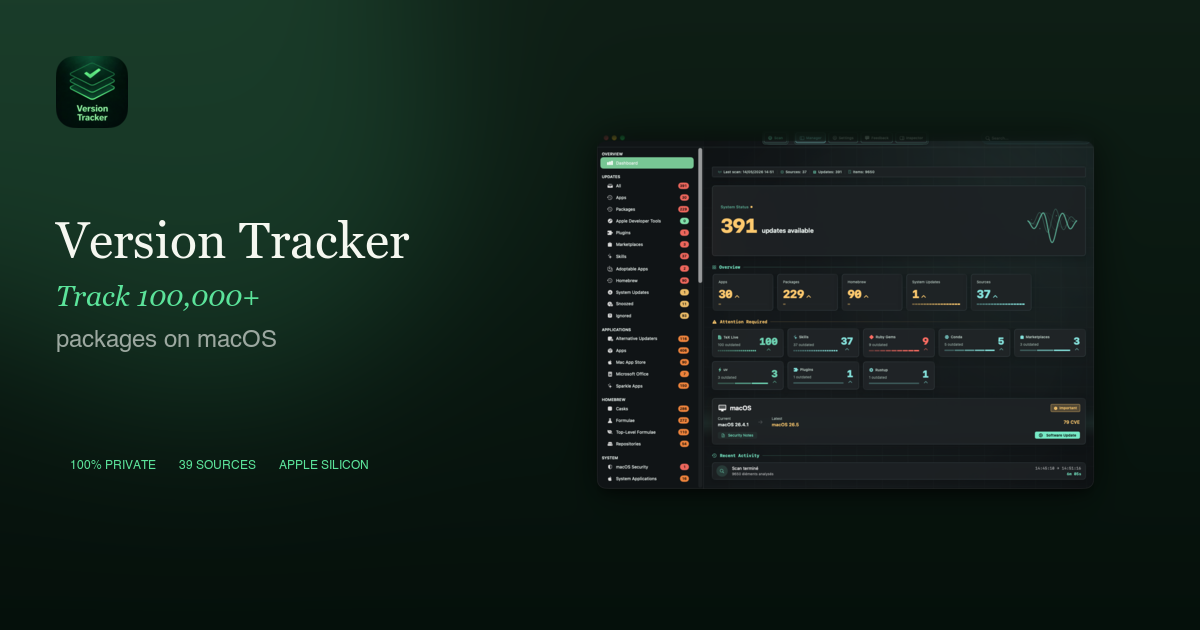
Version Tracker is a comprehensive macOS application designed to manage and update over 100,000 software packages and applications across a multitude of sources. It caters to macOS users, developers, and IT professionals who need to ensure their software stack is secure, performant, and up-to-date.
Key Features:
- Centralized dashboard providing total visibility of all apps and packages from 44+ sources.
- One-click updates for individual applications or your entire software ecosystem.
- Robust security checks including Apple code signing verification, notarization validation, and CVE database enrichment.
- Extensive support for developer tools like npm, pip, Cargo, Go, Flutter, Docker, Deno, Bun, and Composer.
- 100% private operation with local scanning, no sign-up, and no telemetry.
- Signed and notarized by Apple, ensuring trustworthiness.
Use Cases:
Version Tracker is essential for maintaining a secure and efficient macOS environment. It helps users proactively identify and patch security vulnerabilities, as outdated software is a primary attack vector. Developers benefit by preventing toolchain drift, ensuring compatible dependencies, and avoiding broken builds across their diverse programming environments.
Beyond security, it significantly improves productivity by centralizing update management. Users no longer need to manually check various package managers or app updaters, saving valuable time and ensuring they always have access to the latest features, performance improvements, and bug fixes.
Pricing Information:
Version Tracker operates on a freemium model. A "Free" tier allows users to scan all 44 sources and view outdated software without a credit card. Paid annual subscriptions, "Solo" (€29.90/year for 2 Macs) and "Family" (€44.90/year for 5 Macs), unlock one-click updates, CVE/SOFA security intelligence, and scheduled scans. A 7-day free trial of the Solo plan is available, and launch pricing is guaranteed until December 31, 2026.
User Experience and Support:
The application features a user-friendly dashboard that provides total visibility and real-time refresh. Updates are managed with one-click simplicity, including progress tracking and logs. Email support is available, with priority support offered for Family and Pro plan subscribers.
Technical Details:
Built natively for macOS 15 (Sequoia) and later, Version Tracker leverages Swift 6 and SwiftUI for a modern, performant experience on both Apple Silicon and Intel Macs. It performs all scans locally, ensuring user privacy with no telemetry or inventory data transmitted.
Pros:
- Comprehensive coverage of 44 diverse software sources.
- Strong emphasis on security with code signing, notarization, and CVE checks.
- Streamlined, one-click update process for efficiency.
- Privacy-focused with local scanning and no data collection.
- Supports a wide array of developer tools and runtimes.
Cons:
- Requires macOS 15 (Sequoia) or later.
- One-click updates and advanced security features are behind a subscription paywall.
- No perpetual license option for premium features (subscription required for ongoing updates).
Conclusion:
Version Tracker is an indispensable tool for macOS users seeking to centralize software management, enhance security, and optimize their development workflows. Its extensive source coverage and privacy-first approach make it a natural replacement for discontinued solutions. Explore Version Tracker today with a free scan or a 7-day trial to keep your Mac's software ecosystem perfectly tuned.
Comments
Publisher

Launch Date2026-08-04
Platformdesktop
Pricingfreemium
Tech Stack
#Swift#SwiftUI
Outbid
View🥇 🥈
🥈 🥉
🥉
Want this spot? Pay what you wantBest Launch Directories: launch directories with DR, traffic and pricing
Launch directories, product launch platforms and startup listing sites in one table, with Domain Rating by Ahrefs, traffic where known, pricing and link type for each.
$50
Boost Your Domain Rating — DoFollow Backlinks (DR 30–70) from $30
Raise your Ahrefs Domain Rating with 5 - 50 dofollow backlinks from DR 30–60 sites — from $50, guaranteed to improve your DR or your money back.
$45
DirEasy - The Best Directory Boilerplate with AI | DirEasy
The best directory boilerplate, packed with AI, Listings, Payment, Submission, CMS, Blog, Authentication, Newsletter, SEO and more.
$41