
This project is scheduled for launch
Launch date: Tuesday, December 22, 2026 at 08:00 AM UTC
Scheduled
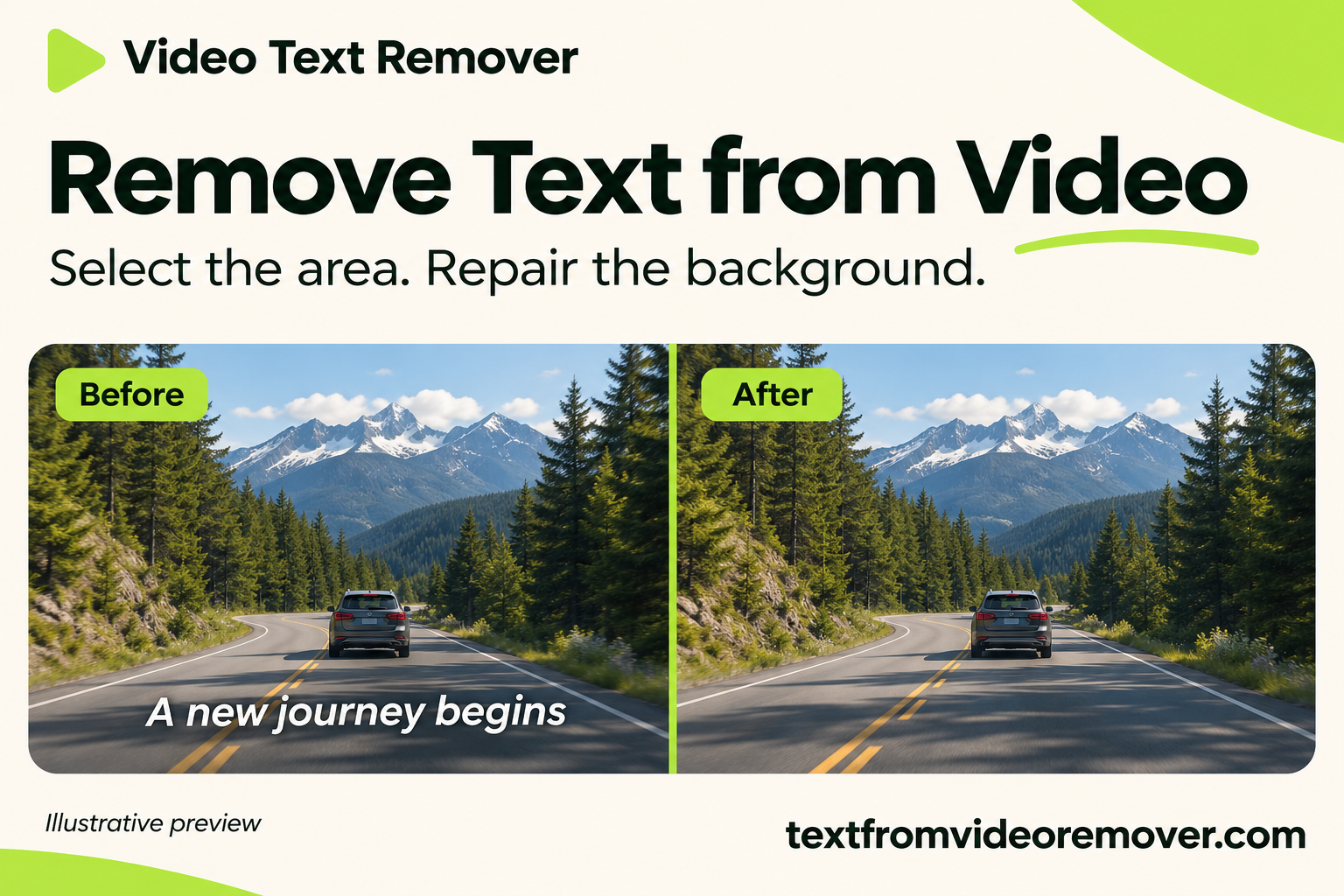
Video Text Remover is an innovative online AI-powered SaaS solution designed to effortlessly remove unwanted text, burned-in captions, subtitles, watermarks, and recording labels from videos. This tool is perfect for YouTubers, TikTok creators, and social media content creators looking to reuse footage, maintain video clarity, and preserve original resolution without the need for complex editing software. By leveraging advanced AI, it intelligently reconstructs the background behind the text, offering a natural and clean result instead of simply blurring the area.
Key Features:
Use Cases: This AI video text remover is invaluable for creators needing to repurpose footage with burned-in captions or recording labels. It effectively clears hard-coded subtitles, outdated timestamps, or persistent watermarks from content you own or have permission to edit, ensuring a polished and professional appearance. The tool also allows creators to prepare videos for various publishing formats by removing distracting text, preserving the original composition for later edits or platform-specific cropping.
Pricing Information: Video Text Remover offers flexible, single-purchase plans: Starter ($9.9, 40 minutes), Creator ($29.9, 150 minutes), and Pro ($69.9, 400 minutes). Unused minutes are valid for a year, and processing is only charged upon successful repair. A free trial is available for one video up to 30 seconds and 100 MB, allowing users to test the AI text removal capabilities. Exports retain source resolution within specified limits (e.g., 1080P up to 5/15/30 minutes, 2K up to 1 minute).
User Experience and Support: The platform features a user-friendly 3-step process: Upload, Select, and Remove. Users simply pause on a frame, draw a box around the unwanted text, adjust the time range, and the AI performs the repair. An in-browser preview allows for immediate review of the cleaned-up video before download, ensuring satisfaction. Support inquiries can be directed via email.
Technical Details: The service supports H.264 MP4 or MOV video formats. Its core functionality relies on advanced AI algorithms that intelligently estimate and reconstruct the background behind the selected text, ensuring a high-quality output that blends seamlessly with the original footage.
Pros:
Cons:
Conclusion: Video Text Remover provides a powerful and accessible AI-driven solution for cleaning up video footage by removing unwanted text. Its ability to maintain video quality and offer a natural repair makes it an essential tool for content creators. Explore its capabilities with a free trial today.
Key Features:
- AI-powered text removal that reconstructs the background, avoiding blur.
- Preserves original video resolution and clarity for professional-looking results.
- Browser-based operation requiring no software installation.
- Precise selection of text area and timing for targeted repairs.
- Ability to remove subtitles, watermarks, timestamps, and other text overlays.
- Maintains source frame rate and picture dimensions for seamless integration into editing workflows.
Use Cases: This AI video text remover is invaluable for creators needing to repurpose footage with burned-in captions or recording labels. It effectively clears hard-coded subtitles, outdated timestamps, or persistent watermarks from content you own or have permission to edit, ensuring a polished and professional appearance. The tool also allows creators to prepare videos for various publishing formats by removing distracting text, preserving the original composition for later edits or platform-specific cropping.
Pricing Information: Video Text Remover offers flexible, single-purchase plans: Starter ($9.9, 40 minutes), Creator ($29.9, 150 minutes), and Pro ($69.9, 400 minutes). Unused minutes are valid for a year, and processing is only charged upon successful repair. A free trial is available for one video up to 30 seconds and 100 MB, allowing users to test the AI text removal capabilities. Exports retain source resolution within specified limits (e.g., 1080P up to 5/15/30 minutes, 2K up to 1 minute).
User Experience and Support: The platform features a user-friendly 3-step process: Upload, Select, and Remove. Users simply pause on a frame, draw a box around the unwanted text, adjust the time range, and the AI performs the repair. An in-browser preview allows for immediate review of the cleaned-up video before download, ensuring satisfaction. Support inquiries can be directed via email.
Technical Details: The service supports H.264 MP4 or MOV video formats. Its core functionality relies on advanced AI algorithms that intelligently estimate and reconstruct the background behind the selected text, ensuring a high-quality output that blends seamlessly with the original footage.
Pros:
- AI-driven background reconstruction, not blurring.
- Preserves original video resolution and clarity.
- Online, browser-based, no installation required.
- User-friendly 3-step process.
- Effective for various text types (subtitles, watermarks, timestamps).
Cons:
- Complex backgrounds or fast movement may show subtle artifacts.
- Re-encoding can slightly alter fine detail.
- Stricter minute limits for 2K videos.
- Requires precise selection for optimal results.
Conclusion: Video Text Remover provides a powerful and accessible AI-driven solution for cleaning up video footage by removing unwanted text. Its ability to maintain video quality and offer a natural repair makes it an essential tool for content creators. Explore its capabilities with a free trial today.
Comments
Comments will be available once the project is launched.
Publisher

Launch Date2026-12-22
Platformweb
Pricingfreemium
Tech Stack
#web
Outbid
View🥇 🥈
 🥉

Want this spot? Pay what you wantBest Launch Directories: launch directories with DR, traffic and pricing
Launch directories, product launch platforms and startup listing sites in one table, with Domain Rating by Ahrefs, traffic where known, pricing and link type for each.
$50
Boost Your Domain Rating — DoFollow Backlinks (DR 30–70) from $30
Raise your Ahrefs Domain Rating with 5 - 50 dofollow backlinks from DR 30–60 sites — from $50, guaranteed to improve your DR or your money back.
$45
DirEasy - The Best Directory Boilerplate with AI | DirEasy
The best directory boilerplate, packed with AI, Listings, Payment, Submission, CMS, Blog, Authentication, Newsletter, SEO and more.
$41