AI Assistants
InterviewAce is an innovative AI co-pilot designed to empower job seekers during live interviews. It provides real-time, context-aware answer suggestions, grounded in your actual resume and the specific job description, ensuring you always have the right words when you need them without relying on generic scripts. This powerful tool is ideal for anyone looking to boost their confidence and performance in high-stakes interviews. Key Features Real-time AI Suggestions: Get instant, personalized talking points during live interviews, derived from your uploaded resume and the job description. Completely Invisible: Operates discreetly on your second screen or window, undetectable by the interviewer – no bots, no browser extensions. Broad Platform Compatibility: Seamlessly integrates with Zoom, Google Meet, Microsoft Teams, and other video-call platforms. Mock Interview Mode: Practice with an AI interviewer that asks role-specific questions, provides instant feedback, and generates a full performance report. Multilingual Support: Supports 15+ languages for transcription, AI suggestions, and session memory, catering to global job markets. Cost-Effective Solution: Offers advanced real-time intelligence at a fraction of the cost of competitors, making it accessible for job seekers. Use Cases InterviewAce is a game-changer for candidates who experience interview anxiety or struggle to recall specific examples under pressure. Imagine being asked a behavioral question like "Tell me about a time you had to make a high-stakes decision with incomplete data." Instead of blanking, InterviewAce instantly surfaces key points from your resume, such as "Led pricing redesign at Bybit with 2 weeks of data" and suggests the STAR framework, allowing you to deliver a structured, confident answer in your own voice. It's also invaluable for preparing for diverse roles or international opportunities. With its Mock Interview Mode, you can rehearse answers to role-specific questions, receive immediate feedback on your structure and content, and refine your delivery before the actual interview. For those interviewing in non-English markets, the 15+ language support ensures that transcription, suggestions, and session memory all function in your preferred language, providing a significant competitive edge. Pricing Information InterviewAce operates on a freemium model. Users can start with a free plan offering 30 trial minutes without requiring a credit card. For extended use, Pro plans are available: Weekly Pro at $9 per week (100 minutes/week) and Monthly Pro at $19 per month (400 minutes/month), offering substantial savings compared to competitors. User Experience and Support The platform is designed for ease of use, running directly in your web browser without any downloads or browser extensions. Simply sign in, open a session on a second screen or window alongside your video call, and you're ready. The interface provides a live transcript and contextual AI suggestions, allowing you to glance, absorb, and respond naturally. Support is available via email at hello@interviewace.online. Technical Details InterviewAce functions as a web-based application, leveraging real-time transcription and AI algorithms to process interviewer questions and generate relevant talking points from your uploaded resume and job description. It operates by listening through your device's audio, ensuring compatibility with any video-call platform without requiring special integrations. An Android app is also available, with a Windows desktop app coming soon. Pros and Cons Pros: Completely invisible to interviewers. Suggestions are highly personalized to your experience and the job. Effective for reducing interview anxiety and improving recall. Includes a robust mock interview practice mode. Supports a wide range of languages. Significantly more affordable than competing solutions. No installation required, runs in browser. Cons: Requires a second screen or window for optimal use. Relies on user's ability to integrate suggestions naturally into their speech. Not a substitute for actual preparation, but an aid. Conclusion InterviewAce stands out as an indispensable AI co-pilot for modern job seekers, transforming interview anxiety into confident performance. By providing real-time, personalized guidance invisibly, it helps candidates articulate their experience effectively and secure offers. Explore InterviewAce today to elevate your next interview.

CoachPro Tools is a comprehensive, all-in-one SaaS platform meticulously designed for professional coaches. It consolidates essential coaching functionalities into a single, intuitive interface, enabling coaches to streamline their practice, enhance client engagement, and deliver impactful sessions under their own brand. It targets professional coaches across various specializations, from life and executive coaching to team and wellness coaching.Key Features:+271 interactive coaching tools that update live during sessions.Integrated CRM, calendar, and 1:1 video call capabilities.Full custom branding (logo, colors, name) on tools and client PDFs.AI-powered session recaps and WhatsApp integration with AI.Tools for organizations, including 360-degree reviews and climate assessments.Step-by-step program builder and public booking functionality.Use Cases:CoachPro Tools transforms a coach's daily workflow by centralizing client management, session preparation, and delivery. Coaches can manage client profiles, track progress, and access a vast library of interactive tools directly within a live session, eliminating the need to juggle multiple applications. This ensures a seamless and professional experience, with all session data automatically saved. For corporate coaching, it offers specialized tools for organizational assessment and 360-degree feedback. Group workshops are facilitated via open links and QR codes, while structured, multi-week client journeys are supported by customizable step-by-step programs, all under the coach's brand.Pricing Information:CoachPro Tools offers flexible pricing: Monthly at $30/month, Annual at $157/year (saving 56%), and Lifetime access for a one-time payment of $297. All plans include a 3-day free trial and a 30-day money-back guarantee. Annual and Lifetime plans also feature bonuses like a Marketing & Sales Platform and a Private CoachPro GPT.User Experience and Support:The platform boasts a user-friendly interface designed for real-time sessions, minimizing setup time and requiring no technical skills. Coaches operate from a single window, maintaining focus. Clients do not need to sign up or learn a new system; they interact with the coach's shared screen and receive branded PDFs. Responsive support ensures queries are resolved quickly.Technical Details:CoachPro Tools is a 100% web-based application, accessible via modern browsers (Chrome, Safari, Firefox, Edge) on Windows, Mac, Linux, iPad, and mobile phones. It requires no installation, offering broad compatibility and ease of access. Data is SSL-encrypted, and payments are securely processed via Stripe.Pros:Comprehensive all-in-one solution for coaching practice.Highly interactive tools enhance client engagement.Extensive custom branding capabilities.AI features significantly reduce administrative tasks.Visible client progress and tangible session outcomes.Cons:Potential learning curve for mastering all advanced features.Tool customization is primarily limited to renaming.Requires a stable internet connection for optimal performance.Conclusion:CoachPro Tools provides an integrated solution for coaches to professionalize their practice, minimize admin, and maximize client impact. By centralizing CRM, interactive tools, and communication under a custom brand, it transforms coaching delivery into a visible, organized, and highly engaging experience. Explore CoachPro Tools today to revolutionize your coaching workflow and client results.

AccBrain is an innovative AI accounting app designed as a companion for TallyPrime and Tally.ERP 9 users. It transforms your Tally books into an interactive, intelligent resource, allowing you to ask complex financial questions in plain language and receive instant, accurate answers directly from your data. AccBrain also streamlines accounting workflows by enabling users to photograph supplier bills and other documents, automatically converting them into Tally vouchers without manual typing.The target audience includes business owners, accountants, and financial teams who rely on Tally for their bookkeeping and seek enhanced accessibility, automation, and AI-driven insights into their financial health.Key FeaturesAI Assistant (AccBrain AI): Ask natural language questions about your accounts (e.g., "Who owes me the most?", "How to make my business profitable?") and get data-backed answers with charts and tables.Unlimited Bill Scanning: Photograph purchase bills, invoices, receipts, and other documents to automatically create Tally vouchers, eliminating manual data entry.Mobile & Offline Access: Access your full dashboard, ledgers, reports, and stock information on your Android phone, even without an internet connection or the office computer switched on.Receivables Management: Efficiently chase outstanding payments with automated WhatsApp/SMS reminders and UPI QR codes generated per bill or for the total balance.Comprehensive Reporting: Access over 16 reports including P&L, Balance Sheet, Tax Summary, Ageing, Order Book, and Profitability, exportable to PDF and Excel.Raise Entries from Phone: Create sales invoices, receipts, payments, and other entries directly from the mobile app, which then sync seamlessly with Tally.Use CasesAccBrain is invaluable for business owners who need to stay on top of their finances while on the go. Imagine a scenario where a business owner is traveling and needs to quickly understand their cash position or identify their top debtors. With AccBrain AI, they can simply ask their phone, "Where is my cash going?" or "Who owes me the most?" and receive an immediate, data-driven answer, complete with actionable insights and the ability to send payment reminders directly.For accounting teams, AccBrain significantly reduces the burden of manual data entry. Instead of typing out every detail from a stack of supplier bills, an accountant can simply photograph them. The app intelligently extracts all relevant information—supplier, bill number, date, items, quantities, rates—and pre-fills the Tally voucher, ready for a quick review and one-tap submission. This not only saves time but also minimizes errors, allowing the team to focus on more strategic tasks.Pricing InformationAccBrain operates on a freemium model. A permanent free plan is available, supporting one company with up to 2,000 vouchers, offering a full dashboard, day book, P&L, Balance Sheet, tax summary, and a few AI questions per month. Full access, including unlimited AI questions, unlimited bill scanning, comprehensive reports, and receivables chasing, is available through one-time payment licenses for 1, 3, or 5 years. No credit card is required for the 7-day free trial or the permanent free plan, and licenses do not auto-renew.User Experience and SupportSetting up AccBrain is designed to be straightforward, taking approximately ten minutes from download to reading your Tally books on your phone. The user interface is intuitive, presenting key financial metrics and reports in an easy-to-understand format. AccBrain offers free installation support to help users get started seamlessly. The app ensures a smooth user experience by storing data locally on the phone, enabling fast access and offline functionality.Technical DetailsAccBrain integrates with TallyPrime and Tally.ERP 9 via a small Windows program installed on the office computer where Tally runs. This program facilitates the secure synchronization of Tally data to the AccBrain cloud and subsequently to the Android app and web dashboard. The system is built to read existing Tally data without altering it, ensuring data integrity. Entries raised within the AccBrain app are sent back to Tally as ordinary vouchers, maintaining the user's existing voucher numbering series.Pros and ConsPros: AI-powered natural language queries; Unlimited, automated bill scanning; Real-time mobile access to Tally data; Offline functionality; Comprehensive financial reporting; Efficient receivables management with automated reminders; Free installation support; Freemium model with a generous free plan.Cons: Requires TallyPrime or Tally.ERP 9; Initial setup involves a Windows program; Office computer needs to be on for new entries to sync to Tally.ConclusionAccBrain offers a powerful and intelligent extension for Tally users, bringing unparalleled accessibility, automation, and analytical capabilities to their financial management. By leveraging AI and mobile technology, it empowers businesses to gain deeper insights, streamline operations, and make informed decisions from anywhere. Explore AccBrain today to revolutionize how you interact with your Tally books.

Scheduley is an innovative AI-powered scheduling and booking platform designed to streamline operations for local businesses. It acts as a 24/7 AI Front Desk, handling calls, texts, and DMs to book appointments, answer queries, and manage customer interactions, significantly reducing administrative busywork. This comprehensive SaaS solution targets a wide array of local service providers, including hair salons, barbershops, spas, clinics, pet groomers, fitness studios, tattoo studios, and various trades like plumbing, HVAC, and landscaping. Its primary purpose is to help businesses secure more bookings and enhance customer service around the clock. Key Features 24/7 AI Front Desk: Answering calls, texts, and DMs, qualifying leads, quoting prices, and booking real appointments. Online Booking Page & Website: Provides a customizable booking page or a full website from 30+ premium templates. Payments & Deposits: Facilitates online payments and deposits directly through the platform. Automated Reminders & Waitlist: Sends confirmations, reminders, and manages waitlist refills automatically. Multi-Channel Communication: Integrates with Instagram, Facebook DMs, WhatsApp, and SMS for seamless interaction. Reviews & Win-backs: Automates review invitations after visits and nudges lapsed clients. 16 Languages Support: The AI can switch languages instantly based on the caller's speech. Use Cases Scheduley is invaluable for any local business that relies on appointments and customer communication. For a hair salon, it means the AI can book a hair coloring appointment for Sarah M. at 2:30 PM on Thursday, even when the stylists are busy with clients. Spa owners can leverage the AI to answer calls about services like Swedish Massages and book them instantly, ensuring no potential booking is missed outside business hours. Trades like plumbers or electricians can use it to qualify leads, provide quotes, and schedule service calls, freeing up technicians to focus on their work rather than phone calls. The platform also excels in managing diverse teams. A multi-service business with senior stylists, barbers, estheticians, therapists, and nail techs can have all their schedules consolidated into one live calendar. The AI ensures that appointments are booked with the correct service provider and that the calendar is always up-to-date, reducing scheduling conflicts and improving operational efficiency. This holistic approach allows business owners to focus on delivering their services while Scheduley handles the front-end customer interaction and scheduling. Pricing Information Scheduley offers a flexible pricing model starting with a "Start free" option, indicating a freemium or free trial approach. Plans include Starter ($19/month for up to 60 minutes of AI phone time), Pro ($49/month for up to 200 minutes), and Business ($99/month for up to 500 minutes). All plans include unlimited texts, and unused minutes roll over. A 7-day free trial is available for Pro and Business plans, and users can cancel anytime. User Experience and Support The platform emphasizes ease of use with a "Set up in minutes" promise and no credit card required to start. It offers a choice between linking a booking page to an existing site or building a full website from over 30 premium, live-previewable templates. The interface for managing the calendar, messages, and calls appears intuitive. Support is available via email for Starter plans and priority support for Pro and Business tiers, ensuring users have assistance when needed. Technical Details Specific programming languages, frameworks, or underlying technologies are not explicitly mentioned in the provided content. However, the platform clearly leverages advanced AI and natural language processing (NLP) for its AI Front Desk capabilities, alongside robust web development for its booking and website features. Pros and Cons Pros: 24/7 AI-powered receptionist for calls, texts, and DMs. Significantly reduces administrative burden and busywork. Increases booking rates by capturing leads around the clock. Offers comprehensive features: booking, payments, reminders, waitlist, reviews. Highly customizable with website templates and voice options. Supports 16 languages, broadening customer reach. Consolidates all bookings into one live calendar. Cons: Reliance on AI for customer interaction might not suit all business types or customer preferences. Call minutes are tiered, which could become costly for very high-volume call businesses. While easy to set up, fully leveraging all features might require some learning. No explicit mention of advanced CRM features beyond client list and basic follow-ups. Conclusion Scheduley offers a powerful, all-in-one solution for local businesses seeking to modernize their scheduling and customer communication. By integrating a 24/7 AI Front Desk with robust online booking and website capabilities, it empowers businesses to capture more leads, reduce operational overhead, and provide exceptional service. Explore Scheduley today to transform your booking process and work less while booking more.

Populr is an AI marketing assistant for small software companies. It reviews a customer's website and marketing goals, recommends what to publish and where, drafts the posts, and schedules them. Customers connect their own social accounts so Populr can publish on their behalf and report back on what performed.

Frontrunners is an AI-powered SaaS platform designed to revolutionize the job search process for job seekers. It enables users to bypass traditional application queues by directly connecting with hiring managers and sending highly personalized outreach emails. This platform is ideal for job seekers across all industries and career stages, including those looking to switch careers, who are frustrated with low response rates and competing in crowded application pools.Key Features:AI-powered company discovery tailored to user profiles.Verified hiring manager contact identification.AI-generated personalized email drafts, editable by the user.Automated email sending from personal Gmail or Frontrunners' dedicated accounts.Comprehensive outreach tracking and status monitoring.Focus on uncovering unposted job opportunities.Use Cases:Frontrunners is perfect for job seekers tired of the "spray-and-pray" approach to applications. It helps individuals break through the noise of hundreds of applicants by facilitating direct conversations with the people who actually hire. This is particularly beneficial for accessing the 80% of jobs that are filled before they are ever posted publicly, giving users a significant advantage.Moreover, Frontrunners is exceptionally useful for career transitioners. Instead of relying on keyword-matching resume filters that might overlook transferable skills, users can directly make their case to hiring managers with personalized messages, increasing their chances of securing interviews in new industries.The platform also addresses the common problem of "ghosting" by ensuring that relevant, personalized emails reach actual hiring managers, leading to real responses and meaningful conversations, unlike applications that often disappear into ATS queues.Pricing Information:While specific pricing tiers are not detailed in the provided content, Frontrunners offers a "Try Now" option, indicating a trial period for its paid service. Users can explore the platform's capabilities before committing.User Experience and Support:Frontrunners emphasizes an automated, streamlined workflow, allowing users to "Set it up once" and let the AI handle research and outreach automatically. The platform provides a centralized dashboard for tracking every company, email, and outreach status in one place, eliminating the need for manual spreadsheets, missed follow-ups, or scattered notes, thus ensuring an intuitive and efficient user experience.Technical Details:The platform leverages advanced AI agents for company discovery, contact identification, and personalized email generation, operating as a web-based service to provide a complete workflow for proactive job search.Pros:Connects users directly with hiring managers, bypassing traditional job boards.Uncovers unposted job opportunities (80% of jobs).Significantly increases chances of getting responses and interviews.Automates time-consuming research and personalized outreach tasks.Provides a centralized system for tracking job search progress.Highly effective for career changers to highlight transferable skills.Cons:Specific pricing details are not publicly available in the provided content.No explicit mention of direct customer support channels or extensive documentation.Conclusion:Frontrunners empowers job seekers to adopt a proactive, highly effective approach to finding their next role, moving beyond the limitations of traditional job boards. By facilitating direct connections and personalized communication, it helps users stand out and secure interviews faster. Explore Frontrunners today to transform your job search and land your next role.
NutriNexus.life – Your Daily Calorie Companion NutriNexus.life is a smart and simple platform designed to help you take control of your nutrition. With an intuitive daily calorie counter, it allows you to track meals, monitor progress, and stay aligned with your health goals. Whether you’re aiming to lose weight, build muscle, or maintain balance, NutriNexus.life provides clear insights into your daily intake and helps you make informed choices.

Macy is an innovative personal AI assistant that seamlessly integrates into your iMessage, eliminating the need for a separate application. Its primary purpose is to act as your proactive chief of staff, connecting to over 500 apps to manage your digital life and alert you to important events first. This SaaS is ideal for individuals seeking to streamline daily tasks, communications, and personal organization through an intelligent, text-based interface. Key Features iMessage-Native AI: Operates entirely within your iMessage, functioning as a contact. Extensive App Integration: Connects to Gmail, Calendar, WhatsApp, Robinhood, and 500+ other applications. Proactive Alerts: Delivers timely notifications for flight changes, price alerts, and important emails directly to your iMessage. Intelligent Automation: Supports "standing orders" and "one-yes" chains for multi-action tasks. Personalized Memory & Storage: Remembers preferences, saves notes, files, and documents for easy retrieval. Multi-App Communication & Action: Drafts replies in other apps (e.g., WhatsApp, email) and executes trades via Robinhood, all with your approval. Use Cases Macy excels in various scenarios, significantly enhancing personal productivity. For busy professionals, Macy monitors your inbox and calendar 24/7, alerting you to critical emails or schedule changes, and even rescheduling meetings with a simple "yes." Travelers benefit from proactive flight change notifications and the ability to adjust related plans instantly. In personal life, Macy remembers important dates, helps manage gift lists, and summarizes lengthy group chats, flagging key decisions. Furthermore, Macy acts as a powerful tool for financial management, watching markets for price alerts and proposing trades through Robinhood, always awaiting your confirmation. It also supports unique features like language learning, quizzing you daily in Spanish, sending audio, and correcting your voice notes, all within iMessage. This consolidates alerts, communications, and actions into one intuitive thread, eliminating the need to juggle multiple apps. Pricing Information Macy is currently offered for free during its early access phase. Upon official launch, the anticipated pricing will be around $19 per month, though this is not yet finalized. Early users will be directly informed by Macy regarding any pricing updates. User Experience and Support The user experience with Macy is designed for ultimate simplicity and convenience, as it operates entirely within iMessage. There's no new app to download; users interact by texting her like a friend. App integrations are managed through a straightforward web dashboard. Support is available via email. Technical Details Macy leverages robust background jobs to continuously monitor connected applications 24/7. It integrates with over 500 apps through various APIs, including Robinhood's agent API. A critical "approval gate" ensures all sensitive actions require explicit user "yes" before execution, maintaining control and security. Every action and alert is meticulously logged, providing a full audit trail. Pros No new app required; lives in iMessage. Highly proactive and intelligent alerts. Extensive integration with 500+ popular apps. Streamlines multi-step tasks with single confirmations. Personalized memory and preference learning. Secure "yes" approval for all sensitive actions. Cons Reliance on iMessage might limit non-Apple users. Potential learning curve for setting up complex "standing orders." Pricing will eventually transition from free to paid. Conclusion Macy redefines personal AI assistance by bringing powerful automation and proactive intelligence directly into your iMessage. By consolidating alerts, communications, and actions from hundreds of apps into one thread, Macy acts as an indispensable digital chief of staff, freeing up your time and mental energy. Experience the future of personal productivity; text Macy today to get started and discover how she can simplify your digital life.

Autoplot is a powerful, macOS-native application designed to unify scientific data analysis, plotting, and publishing into one seamless workspace. It eliminates the multi-tool overhead and endless copy-paste cycles, providing a comprehensive environment for importing, treating, plotting, and publishing data with full data privacy.It targets students, scientists, and R&D teams who require robust, efficient, and secure tools for their data visualization and analysis needs.Key FeaturesOne unified workspace for importing, analyzing, plotting, and publishing scientific data.Seamless data import from SFTP or local files, with native merge and header treatment.Full Python flexibility for import, custom statistics, and analysis, driven by an AI assistant.Pre-vetted analysis cards for common scientific tasks like log-binned PDFs, CCDF fits, and scaling.Versatile plotting capabilities including 2D, 3D, heat maps, and unlimited series overlay with pixel-perfect annotations.Local-first AI assistant that reads intent and schema, never raw values, ensuring data privacy.Pixel-perfect exports to Vector PDF (with embedded fonts), PNG, and JPG, plus multi-panel board composition.Use CasesFor Students: Autoplot streamlines the process of turning raw lab CSVs into fitted plots and vector PDFs for coursework. Students can quickly generate publication-ready figures without the need to build complex data pipelines, and easily reopen, tweak, and re-export their work for revisions.For Scientists: The platform empowers scientists to conduct rigorous analysis, fit heavy-tailed distributions, and inspect diagnostics with confidence. The AI assistant's generated Python code is readily available for review, ensuring transparency and reproducibility, crucial for peer-reviewed publications.For R&D Teams: Autoplot is ideal for R&D teams handling sensitive data that cannot leave the building. Its local-first design ensures data privacy, as the optional AI assistant only reads data schema, not raw values. This provides powerful analysis capabilities without cloud dependency or seat lock-in, meeting strict NDA requirements.Pricing InformationAutoplot operates on a freemium model. The "Free" tier offers essential X&Y plots, histograms with fits, PDF/power-law analysis, vector PDF export, and project save/load, along with 10 hosted-AI credits/month. The "Plus" tier ($7.99/mo) expands on this with advanced surfaces like CDF/CCDF, heat maps, 3D plots, and correlations, also including 10 hosted-AI credits/month. The "Pro" tier ($17.99/mo) provides everything in Plus with a generous 1000 hosted-AI credits/month for extensive assistant use. Yearly billing offers a discount equivalent to two months free.User Experience and SupportAutoplot is a true Mac-native application, built with SwiftUI for Apple Silicon, ensuring instant launch, native scrolling, and a responsive user experience. It functions as a document-based project, not a browser tab, allowing users to open large CSVs directly from disk without upload limits. The integrated AI assistant offers conversational help across the entire toolkit, making complex tasks accessible in plain language. While specific documentation or tutorial links are not provided in the text, the intuitive design and AI guidance suggest a user-friendly experience.Technical DetailsThe application is a native SwiftUI app specifically engineered for Apple Silicon. It embeds the full scientific Python stack, including NumPy, SciPy, and Matplotlib, allowing all analysis and plotting to run locally within the app without requiring external installations or an internet connection for core functionality. The AI assistant utilizes an open-weights model that never trains on user inputs, and for larger prompts, it leverages Apple Private Cloud Compute for on-device-grade privacy even when data temporarily leaves the Mac.Pros and ConsPros: Unified workspace, strong data privacy (local-first, no training on inputs), native Mac performance, AI assistant for Python code generation and app control, pre-vetted analysis tools, pixel-perfect exports, freemium model.Cons: Mac-only platform, potential learning curve for advanced features or assistant usage, hosted-AI credits are limited in lower tiers.ConclusionAutoplot offers an unparalleled, privacy-focused solution for scientific data analysis and visualization on macOS. Its integrated toolkit and intelligent assistant streamline complex workflows, enabling students, scientists, and R&D teams to efficiently produce high-quality, publication-ready figures. Explore Autoplot today to transform your data analysis experience and unify your scientific workflow.
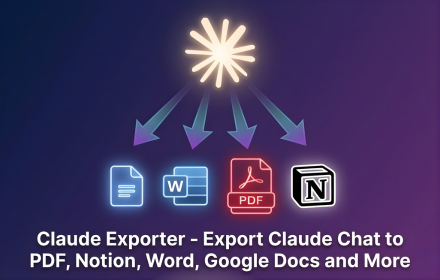
ClaudeExporter is a powerful Chrome extension designed to streamline the process of saving and organizing your Claude AI conversations. It enables users to export full chat threads, selected messages, code sessions, and research directly to popular formats like PDF, Microsoft Word, Google Docs, or Notion with a single click, eliminating the need for manual copying and pasting. This tool is invaluable for professionals in research, engineering, content creation, consulting, education, and finance who rely on Claude for their daily work.Key FeaturesOne-click export of complete Claude conversations.Selective export of specific messages or code blocks.Multiple export formats: PDF, Word, Google Docs, and Notion.Preserves code block formatting, indentation, and structure.Customization options for font, text size, and colors.In-browser processing ensures conversation privacy.Use CasesClaudeExporter significantly enhances workflows for various professionals. Researchers can easily archive long research threads and notes, ensuring all insights from Claude are readily accessible for future reference or publication. Engineers and developers can save entire code sessions, including explanations and revisions, to Word or PDF, making code reviews and documentation much more efficient. Content creators and writers can export writing sessions and client work, maintaining a complete record of their AI-assisted content generation.For knowledge management, the ability to send useful chats directly to Notion allows teams to integrate AI-generated information seamlessly into their projects, notes, and knowledge bases. Educators can save complex explanations or problem-solving sessions for lesson planning, while consultants can document client interactions and AI-driven insights for reporting. The tool's flexibility supports diverse needs, from creating clean, readable PDFs for archiving to editable Word documents for collaborative revisions.Pricing InformationClaudeExporter operates on a freemium model. Users can install the extension from the Chrome Web Store and begin with available free usage. For additional limits or advanced features, paid options may be available, providing flexibility for individual and professional needs.User Experience and SupportThe extension boasts an intuitive and user-friendly interface, making the export process quick and effortless. Users simply open their Claude conversation, click the floating export button or extension icon, choose their desired format, customize content if needed, and export. The in-browser processing ensures a smooth experience without external server dependencies. While specific documentation or tutorials aren't detailed, the five-step process outlined suggests a straightforward learning curve. User testimonials highlight its ease of use and effectiveness.Technical DetailsClaudeExporter is implemented as a Chrome extension, meaning it operates directly within your browser environment. The core functionality involves reading the conversation content displayed on claude.ai and then generating the chosen output format (PDF, Word, Google Docs, Notion) locally. This in-browser processing is a key privacy feature, as it means your chat data is not sent to an external processing server, keeping your Claude conversations private and secure.Pros and ConsPros:One-click, effortless export of Claude conversations.Supports multiple versatile export formats (PDF, Word, Google Docs, Notion).Maintains code block formatting and readability.Allows selective message export for cleaner documents.Enhances privacy by processing exports in-browser.Useful for a wide range of professional applications (research, coding, writing).Cons:Default generic sans serif font for exports may not match Claude's display (user feedback).Relies on Chrome browser, limiting use on other browsers.Paid options for additional limits/features might be required for heavy users.ConclusionClaudeExporter is an indispensable Chrome extension for anyone regularly interacting with Claude AI, offering a seamless and private solution for saving, organizing, and sharing valuable conversations. By transforming raw chat data into polished, editable, or archivable documents, it significantly boosts productivity and knowledge management. Install Claude Exporter today to effortlessly capture and leverage your Claude AI interactions.

AI Chat Exporter is a powerful Chrome extension designed to effortlessly save and organize your AI conversations from leading platforms like ChatGPT, Gemini, Claude, and Grok. It streamlines the process of transforming valuable AI interactions into editable and shareable documents. This tool is ideal for a wide range of users including developers, writers, researchers, analysts, students, academics, and professionals who need to document, share, or archive their AI-generated content. Key Features One consistent export workflow for ChatGPT, Gemini, Claude, and Grok. Export conversations to PDF, Word (.docx), Google Docs, Notion, or Markdown. Preserves complex formatting including headings, lists, tables, code blocks, formulas, and images. Option to export full conversations or select specific messages. Customizable export settings for font family, font size, and text color. No separate account required for standard export features. Use Cases AI Chat Exporter seamlessly integrates into various professional and academic workflows. Developers and engineers can save code generation, debugging sessions, and architecture discussions to Markdown, Word, or Notion for easy reference and collaboration. Writers and editors can move outlines, drafts, and edited paragraphs into Word or Google Docs, maintaining formatting for further refinement. Researchers and analysts benefit by archiving research summaries and analyses to PDF, or building a searchable knowledge base in Notion. Students and academics can save study notes, explanations, and summaries as PDFs for offline review. Professionals and teams can transform project plans, strategies, and meeting preparations into shared Google Docs or Notion pages, fostering better collaboration and knowledge management across the organization. Pricing Information AI Chat Exporter operates on a freemium model. The free plan generously includes 7 full conversation exports and 10 selected-message exports per month, applicable across all supported formats and AI platforms. This allows users to experience the core functionalities before committing to a paid plan, though pricing for premium features is not detailed in the provided content. User Experience and Support Adding AI Chat Exporter to Chrome is a straightforward process, and its user interface is designed for consistency and ease of use across all supported AI platforms. The extension eliminates the need for manual copy-pasting, providing a one-click solution for saving entire conversations or selected messages. Users can customize the document's appearance before export, ensuring it matches their desired style. While extensive documentation isn't explicitly mentioned, the five-step guide on 'How to Export an AI Chat' indicates a simple and intuitive user journey. The service emphasizes user privacy, stating that conversations are not uploaded during export. Technical Details AI Chat Exporter functions as a Chrome Extension, leveraging browser capabilities to access and process conversation content directly from ChatGPT, Gemini, Claude, and Grok. It is built to access only the content necessary for generating the requested export, ensuring user data privacy. No specific programming languages, frameworks, or underlying technologies are detailed, but its operation is confined to the browser environment. Pros Supports four major AI platforms with a unified workflow. Offers a wide range of versatile export formats. Maintains rich content formatting (code, tables, images). Customizable output for professional documents. Flexible export options (full thread or selected messages). Includes a useful free tier. Prioritizes user privacy by not uploading conversations. Cons Limited number of free exports per month. Exclusively available as a Chrome extension. Specific details on advanced support or extensive tutorials are not provided. Conclusion AI Chat Exporter is an indispensable tool for anyone seeking to efficiently manage and leverage their AI conversations. Its robust features, ease of use, and support for multiple AI platforms make it a powerful asset for transforming ephemeral chats into organized, actionable documents. Install the Chrome extension today to enhance your AI workflow and productivity.